
Digital Frame Review
Minimalist in design, specific in purpose.
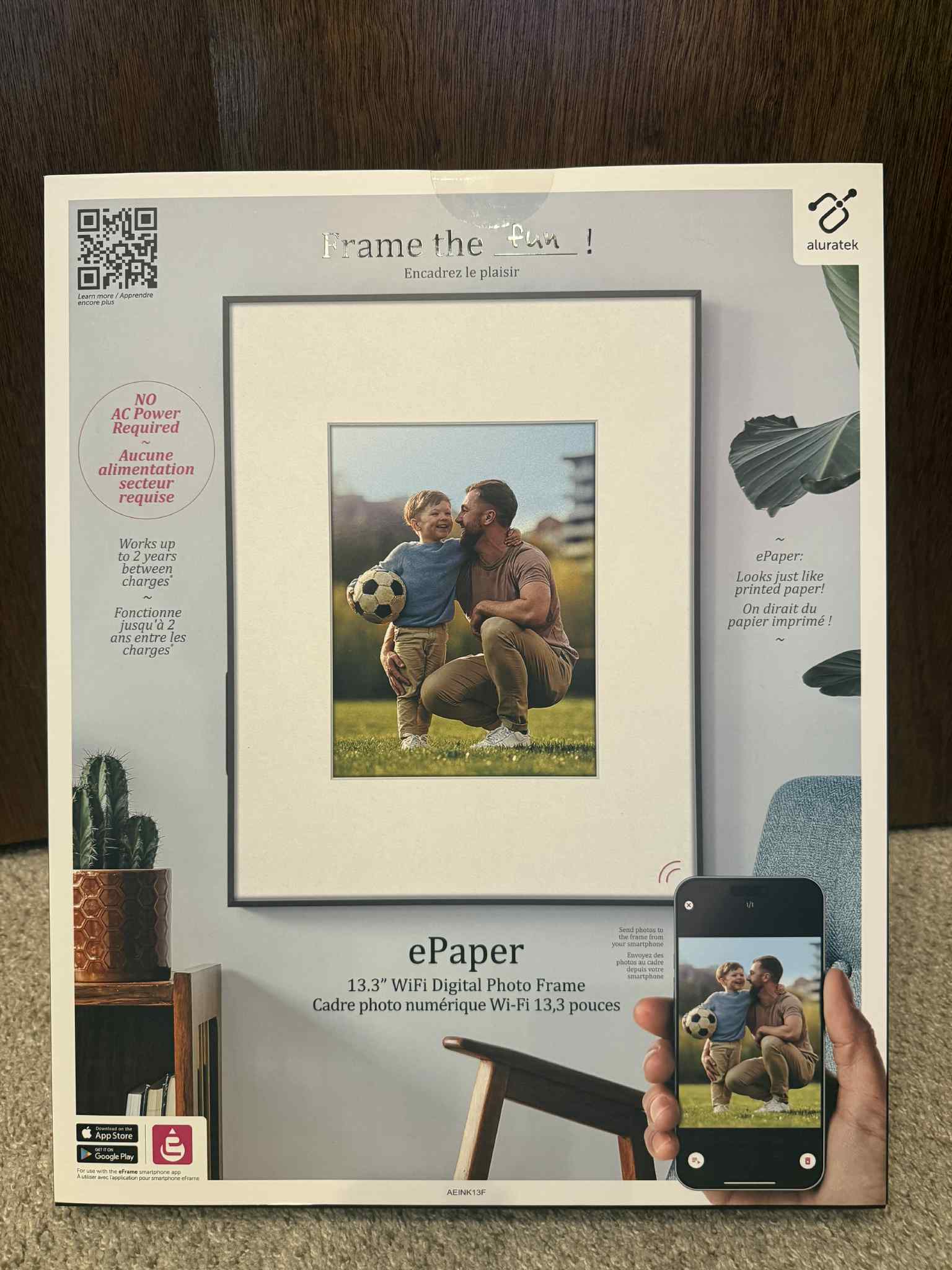
As a full-time blogger and co-owner of BestTechInsight.com, I’m constantly testing new tech. This is especially true for products that offer something a little different. When I first heard about the Aluratek 13.3-inch ePaper WiFi Digital Photo Frame, I was intrigued. A cordless, paper-like display that could run for up to two years on a single charge? That sounded promising.
But after spending time with it in our home, including a partner who notices every little design detail, I realized this frame is built for a very specific type of user.
Aluratek ePaper Frame Review Summary
Priced at about $350, the frame is best suited for someone who knows they will be using it for high-contrast artwork or black-and-white photography in a well-lit space. For anyone outside of those specific use cases, the frame may or may not align with the value they expect at this price point.
Why Choose the Aluratek ePaper Frame?
With so many digital photo frames on the market, you might wonder why I chose to review the Aluratek 13.3-inch ePaper WiFi Digital Photo Frame. For me, it came down to curiosity. This frame does not use a traditional backlit screen. It instead features a Spectra 6 e-ink display, similar to what you would find in an e-reader. That design makes the frame completely cordless, with a battery that can last up to two years on a single charge.
As someone who loves a clean, wire-free setup, I was excited to see what a fully untethered digital frame could offer. But after testing it in our home, I realized this product is designed for a very specific type of user. Unless you have a very specific use case, namely well-lit rooms and a collection of contrast-heavy images, you may find it hard to get full value from this frame at $350.
Aluratek 13.3-inch ePaper Digital Photo Frame: Performance Review
Price tested: about $350
Overall rating: 3 out of 5
| Category | What stood out | Rating |
|---|---|---|
| Setup | The biggest frustration was getting it to connect properly to the internet. | 4/5 |
| Battery life | Several months of use with no recharge needed and no noticeable battery drain. | 5/5 |
| Image transitions | Better for static display than slideshow use. | 3/5 |
| Display performance | Best with black-and-white art, line art, and high-contrast images. | 3/5 |
Setting Up the Aluratek ePaper Frame
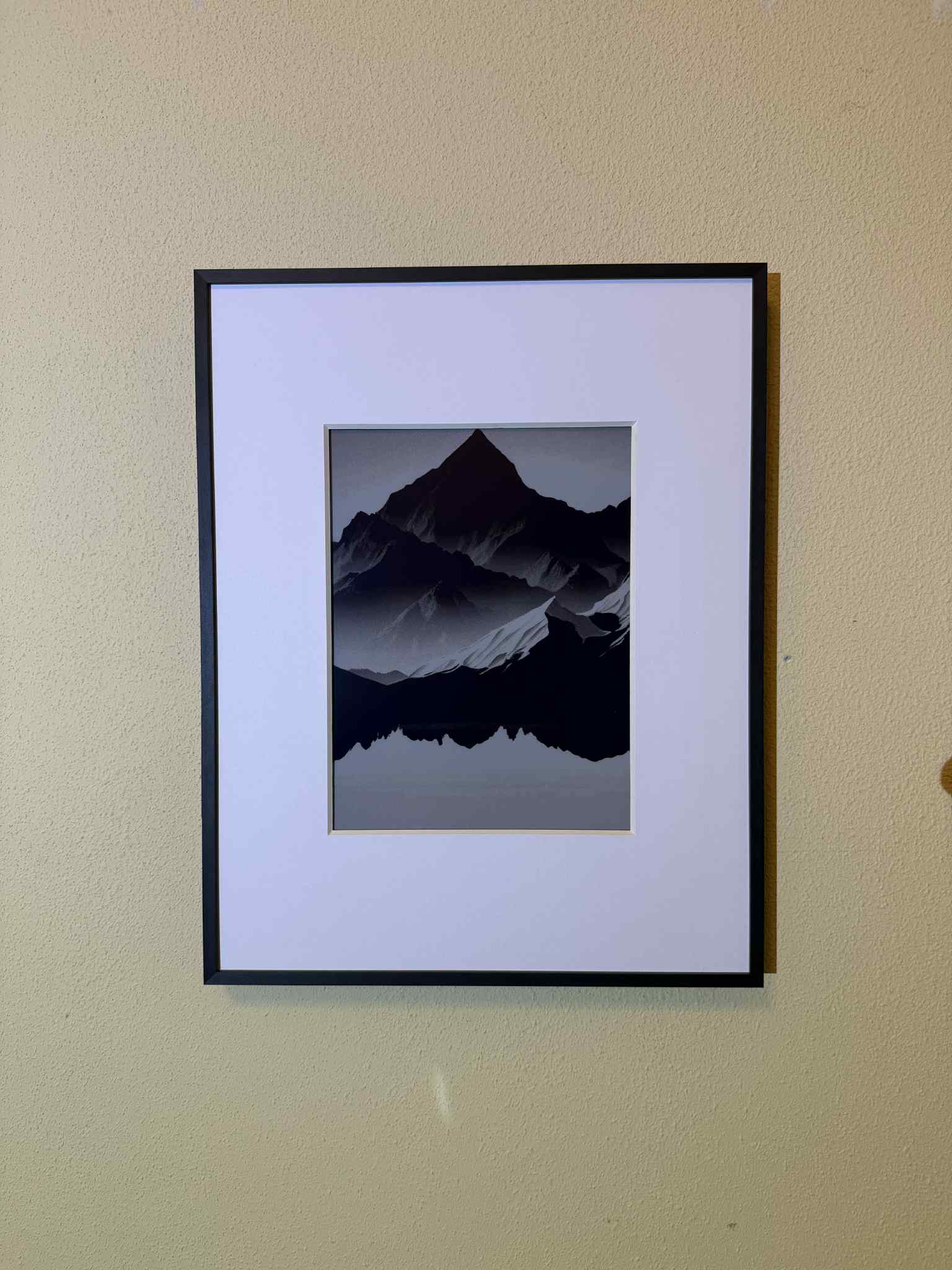
The Aluratek 13.3-inch ePaper WiFi Digital Photo Frame is designed to be sleek and low-maintenance, and for the most part, it delivers. Setup is fairly straightforward if you are already comfortable connecting smart devices to WiFi, but there are a couple things to know upfront to make the process smoother.
The most annoying part of setup was getting the frame to connect properly to the internet. The frame only supports 2.4GHz WiFi, which is common for smart home devices. If your router runs on dual-band or defaults to 5GHz, you may need to log into your router settings and manually connect to the 2.4GHz network. It is a quick fix once you know, but it is something to keep in mind.
Once you are connected through the Aluratek app, sending photos to the frame is simple. Just note that manually selecting a photo to display will disable the automatic slideshow feature. You will have to re-enable the slideshow manually if you want it to rotate through your gallery again.
Overall, the setup is straightforward with a bit of prep, mainly making sure you are on a 2.4GHz WiFi network. Once it is connected, the frame runs on its own with very little maintenance. If you are giving this as a gift, I would strongly recommend setting it up in advance and preloading it with the right type of images: bold black-and-white photos, line art, or high-contrast designs.
Battery Life
Designed for the long haul
One of the biggest selling points of the Aluratek ePaper WiFi Digital Photo Frame is its incredible battery life. Thanks to the energy-saving e-ink display, Aluratek states the frame can last up to two years on a single charge.
After several months of testing, I still use the frame today and have not had to charge it once. There has been no noticeable battery drain whatsoever. I still cannot fully verify the two-year claim yet, but my real-world experience so far supports the idea that battery life is the biggest strength of this product.
Completely Cordless Convenience
Because the battery lasts so long, you can use this frame totally wire-free. No outlet, no visible cords, and no ongoing charging hassle. That makes it one of the cleanest digital frame setups I have tested. I loved being able to place it anywhere in the house without worrying about cable management. Whether it is styled on a shelf, placed on a side table, or used as part of a gallery wall, the cordless design gives you way more flexibility than most digital frames.
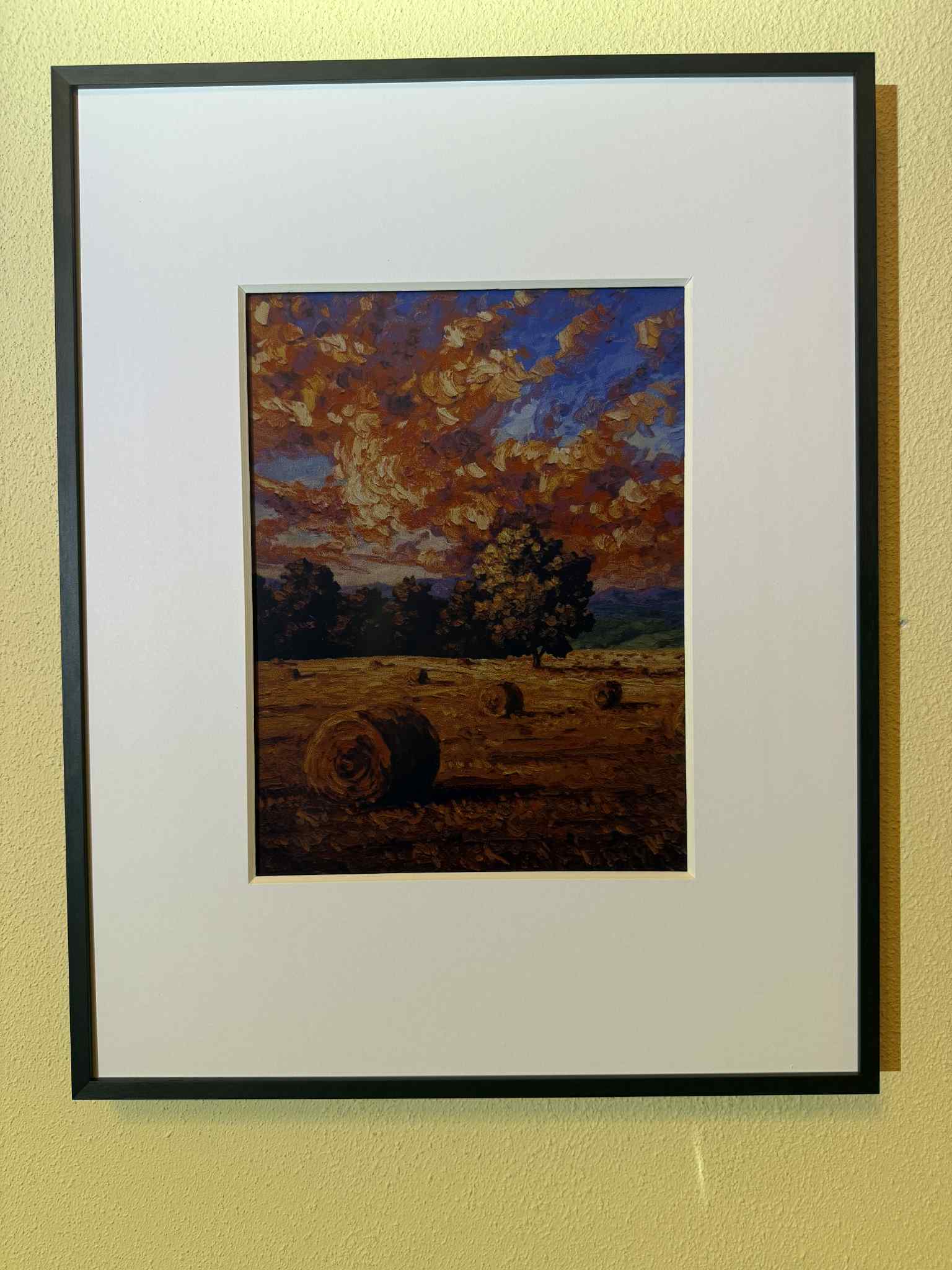
Image Transition Process
One thing that stood out right away was how the frame transitions between images. Unlike traditional digital photo frames that gently fade or slide from one photo to the next, the Aluratek ePaper frame renders each new image with a visible flicker. It looks more like a screen refresh than a smooth transition.
While the transition may feel jarring compared to traditional digital frames, it is worth noting this is standard behavior for Spectra 6 ePaper displays. It is not a flaw or malfunction, just a trade-off of the technology. The process can take a few seconds, and it does not feel polished.
Better for Static Display Than Slideshow
If you are only displaying one image at a time, this will not matter much. But if you plan to use the automatic slideshow feature, it is hard to ignore. A helpful workaround is to schedule image updates for midnight or early morning, so transitions happen while you are likely asleep and less likely to notice the flicker.
This is another reason why the frame works best as a static digital art display. For users expecting something fluid and gallery-like, the rendering behavior may fall short of expectations.
Display Performance
What looks best on an ePaper frame?
The Aluratek 13.3-inch ePaper WiFi Digital Photo Frame uses a Spectra 6 e-ink display that mimics the look of real paper instead of a bright, backlit screen. It is similar to a Kindle in tone and texture, which makes the frame extremely energy-efficient. However, that same power-saving design comes with a trade-off. This display handles images very differently than most digital photo frames.
Because there is no internal lighting, the screen relies entirely on ambient light in the room. In good lighting, it offers a soft, glare-free view that is easy on the eyes. But in dim conditions, it can be hard to see much at all. Without backlighting, color photos and artwork fall flat. In my testing, I would not recommend displaying color photos.
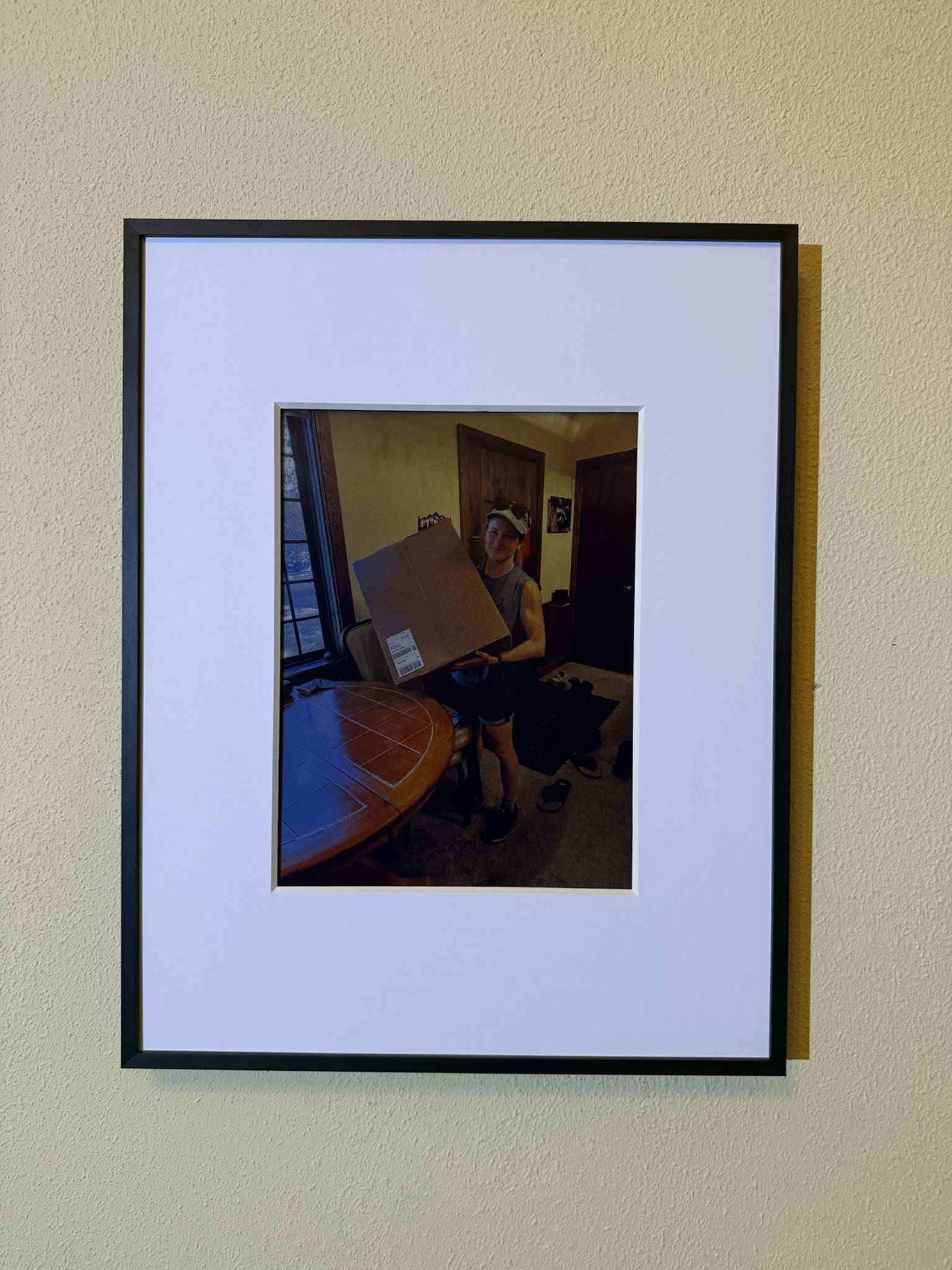
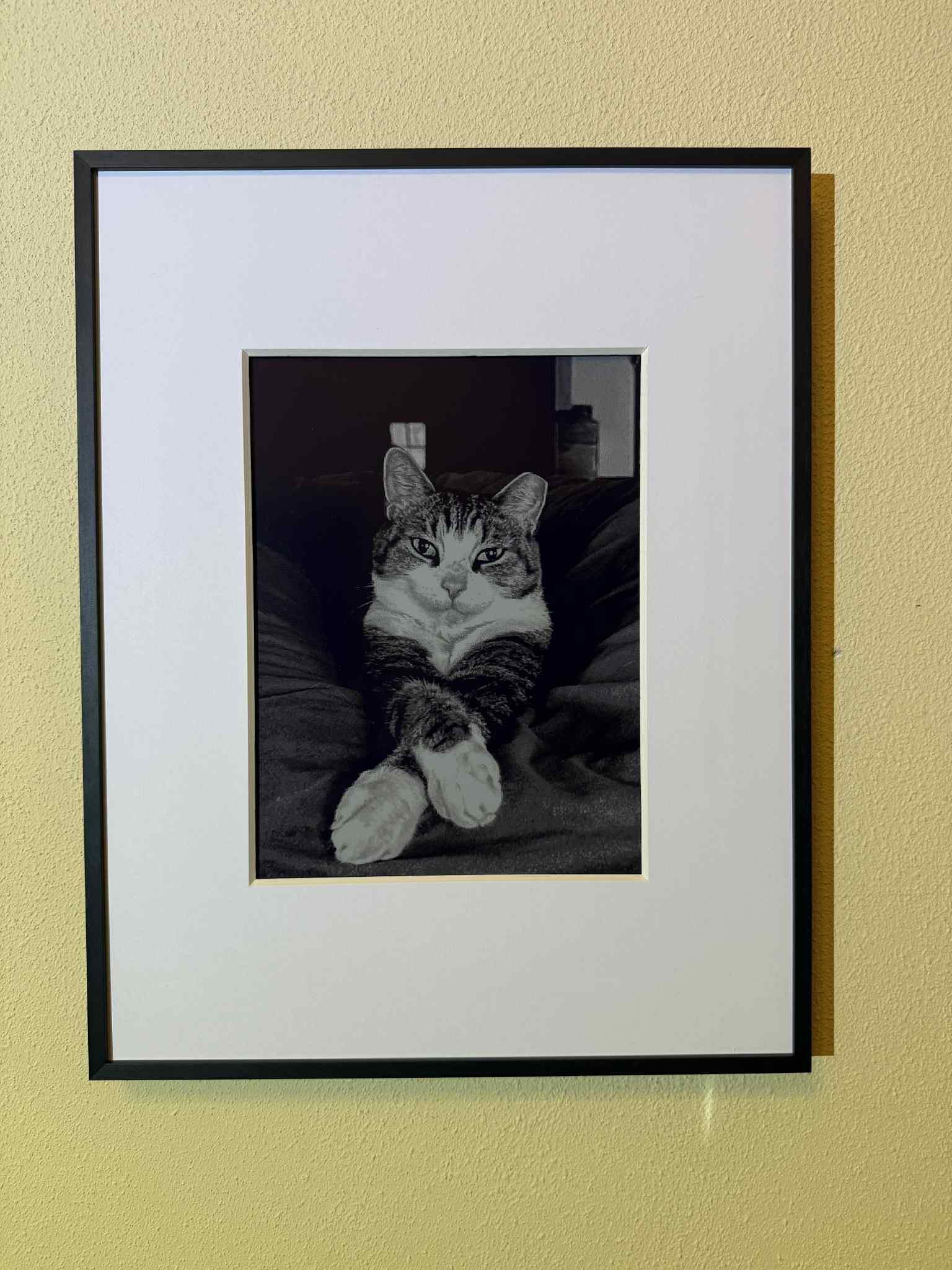
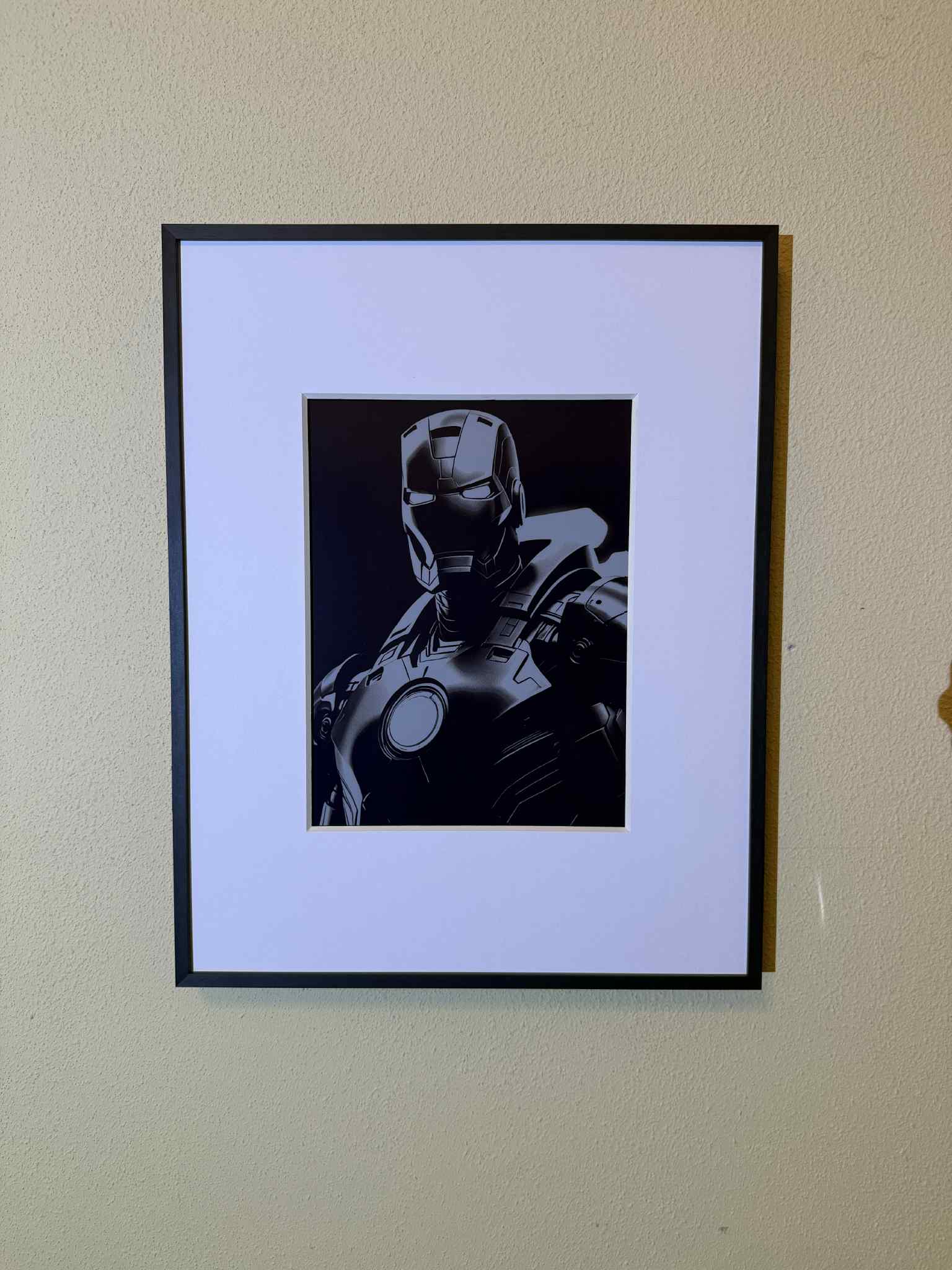
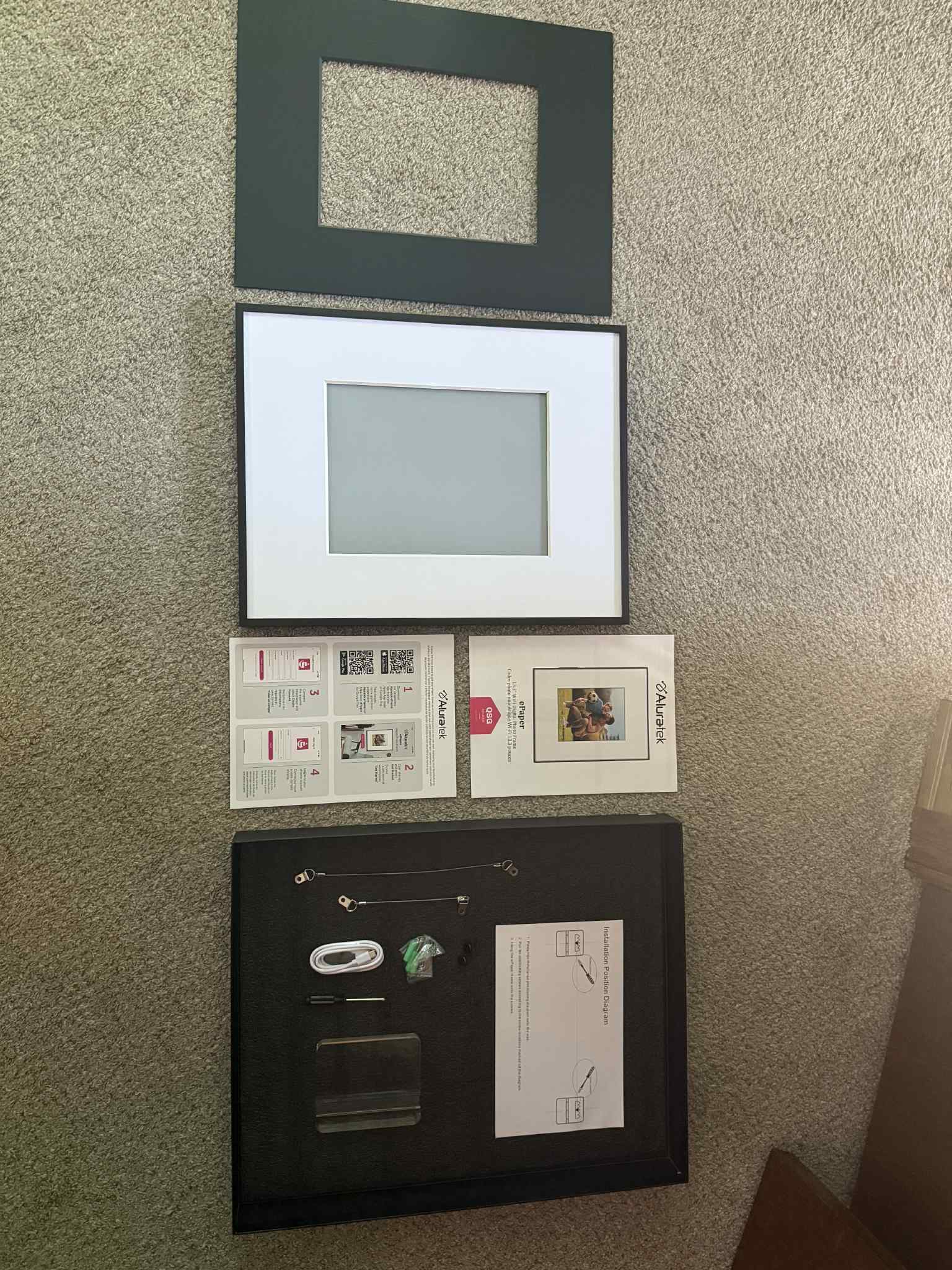
Where this frame performs better is with carefully selected, high-resolution black-and-white photography. The images need to have strong contrast and sharp detail to translate well. When they do, the matte display complements the ink-like quality nicely, giving those photos a clean, printed look.
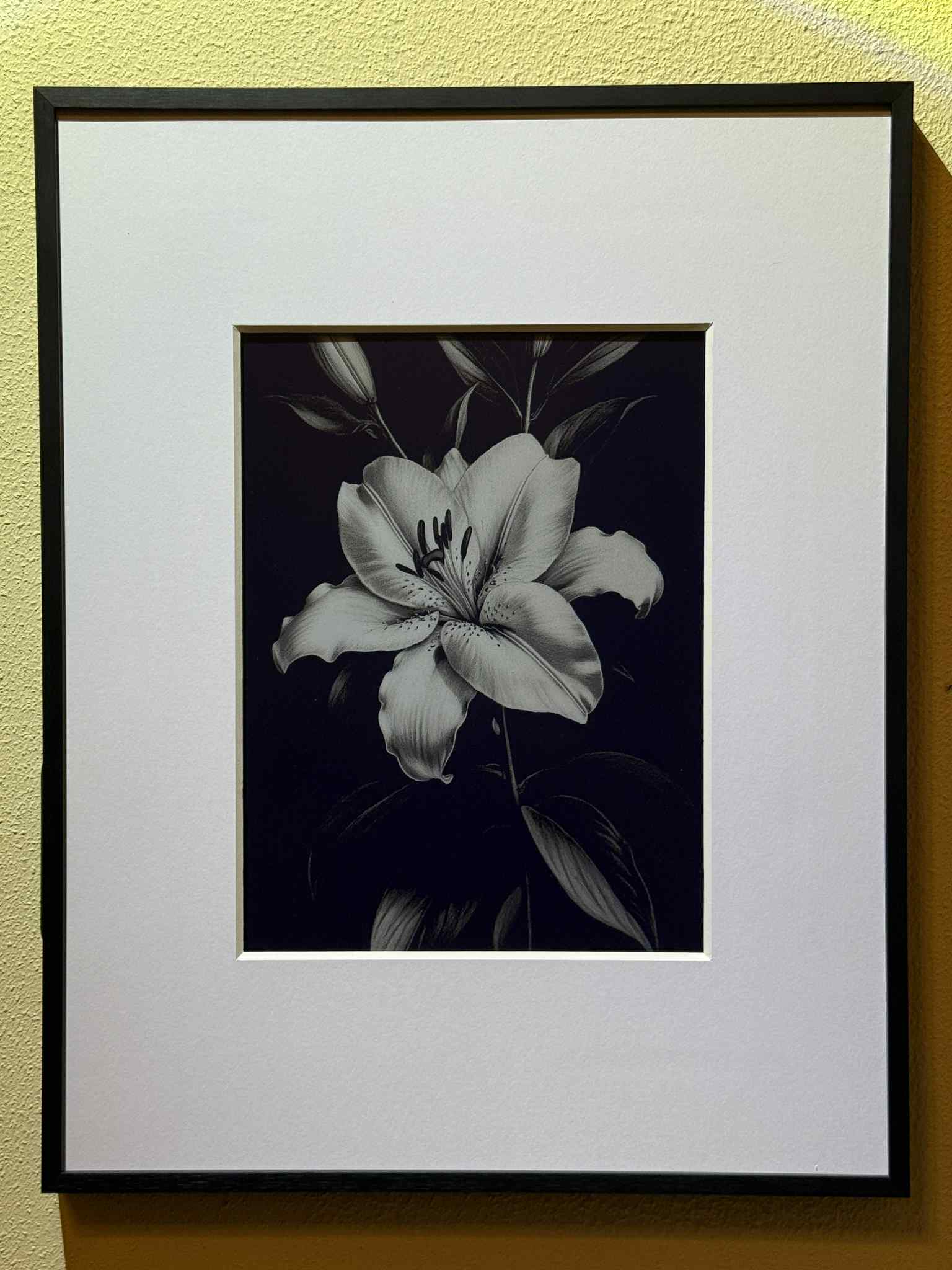
The real sweet spot is ultra high-contrast prints, line art, and bold graphic designs. These types of visuals looked great. They were crisp, striking, and genuinely eye-catching. For that niche, the display performs exceptionally well.
Overall, this frame is best suited as a digital art display for carefully curated, high-contrast images in a well-lit space. If that is the look you are going for, it can offer a quiet elegance. But because only a very narrow type of photo truly looks good on this screen, and considering the $350 price point, I am giving display performance a 3 out of 5.
Pros and Cons
Here is a quick breakdown of what stood out with the Aluratek 13.3-inch ePaper WiFi Digital Photo Frame, and what might be dealbreakers depending on how you plan to use it.
Pros
- Completely cordless setup with no visible power cable.
- Several months of use with no recharge needed.
- Excellent fit for black-and-white art, line art, and high-contrast designs.
- Clean, minimal look for shelves, side tables, or gallery-style placement.
Cons
- Getting it connected properly to the internet was the biggest setup annoyance.
- Only supports 2.4GHz WiFi.
- Image transitions flicker and feel less polished than a normal digital frame.
- Color photos and dim-room images are not impressive enough for most users.
Top Competitors: How the Aluratek Frame Compares
The Aluratek 13.3-inch ePaper Frame occupies a very specific niche, using e-ink technology instead of a traditional backlit display. While direct competitors are rare in this category, a few other ePaper-based frames are available.
| Frame | Display and setup | Best for | Cost |
|---|---|---|---|
| Aluratek 13.3-inch ePaper WiFi Digital Photo Frame | Large Spectra 6 ePaper display, WiFi app control, cordless design. | Black-and-white art, high-contrast photos, and wire-free placement. | About $350 |
| Waveshare 7.3-inch ACeP ePaper Frame | Compact 7.3-inch color ePaper screen. Images load through USB or SD card. | DIYers or shoppers wanting a smaller color ePaper display with no app reliance. | About $95 |
| HUESSEN 13.3-inch Color ePaper Wall Art Frame | 13.3-inch full-color Spectra 6 e-ink screen with WiFi app control. | Curated artwork or static designs in a clean, wire-free setup. | About $399 |


Final Verdict: Is the Aluratek ePaper Frame Worth It?
If you are someone who loves bold black-and-white prints, minimal design, and a completely cordless setup, the Aluratek 13.3-inch ePaper WiFi Digital Photo Frame might be a fit. Its e-ink display gives it a matte, paper-like feel that works nicely in the right conditions. After several months of testing, the battery performance has also been excellent.
That said, this frame has a very narrow use case. It does not support rich color well, transitions are flickery and distracting, and it requires strong lighting and extremely specific high-resolution images to look its best. For a $350 price point, that level of limitation makes it hard to recommend to most people.
If your goal is to showcase contrast-heavy artwork or static quote graphics in a bright space, and you value subtlety over vibrancy, this frame might be worth considering. But for anyone expecting a traditional digital photo frame experience, this frame may fall short of what they are used to in terms of performance and versatility.
Only for a very specific type of user.
This product was provided by Aluratek for the purposes of review. No compensation was received, and all thoughts are based on my personal experience.
Pricing may vary, and Aluratek has run past promotions of $50 off. Check the product page for the most up-to-date pricing.
Aluratek ePaper Frame FAQ
Is the Aluratek 13.3-inch ePaper WiFi Digital Photo Frame worth it?
It is worth considering for a very specific buyer who wants a cordless ePaper display for black-and-white art or high-contrast images in a well-lit space. It is not the best choice for most slideshow-focused buyers.
How was the battery life during testing?
After several months of use, the frame still has not needed to be charged once, and there has been no noticeable battery drain.
What was the hardest part of setup?
The most frustrating part was getting the frame to connect properly to the internet. The frame uses 2.4GHz WiFi, so router setup can matter.
What type of photos look best?
Black-and-white art, line art, and high-contrast images look best. Color photos and subtle images are not where this frame shines.
Best Tech Insight is a participant in the Amazon Services LLC Associates Program, an affiliate advertising program designed to provide a means for sites to earn advertising fees by advertising and linking to Amazon.com. Best Tech Insight also participates in affiliate programs with other sites. PipSqueak Productions is compensated for referring traffic and business to these companies. Please note that we are not responsible for any product malfunctions. Please read the terms and conditions of the product before purchasing.
Leave a Reply