
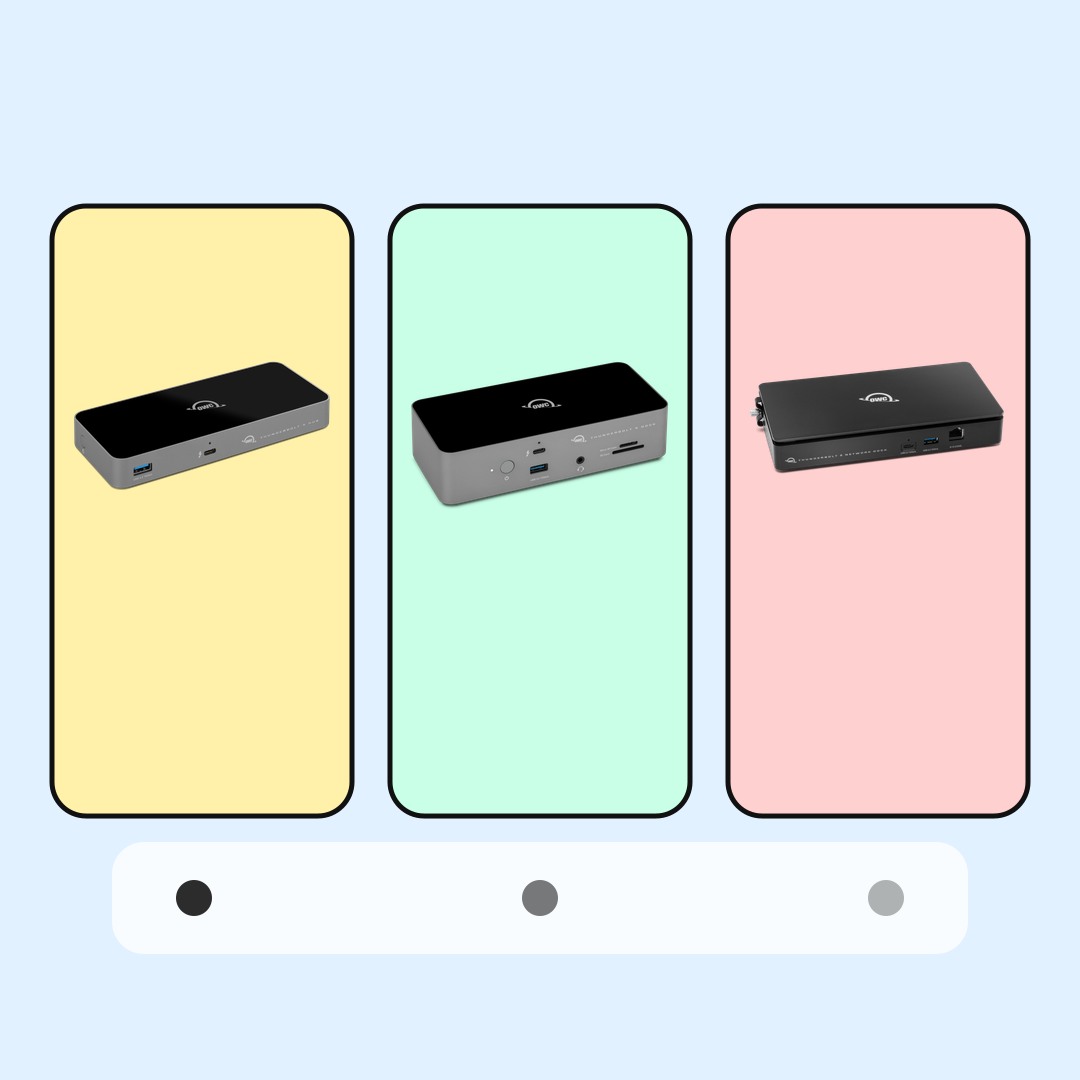
Port map
Thunderbolt 5 Dock Comparison: Hub, Dock, or Network Dock
Thunderbolt 5 is not just a faster-looking USB-C port. The useful buyer question is whether you need more high-speed ports, a full desk dock, or network-heavy docking.
This Thunderbolt 5 dock comparison keeps the decision simple. A hub multiplies Thunderbolt ports. A full dock tries to make the desk easier. A network dock is for people whose wired network or shared storage path is part of the work.
BTI did not lab-test these docks, measure transfer speed, measure charging behavior, or verify display setups. This guide translates public OWC product pages into beginner-friendly buyer checks so you can inspect the current product page, computer support, cable needs, monitor needs, and return policy before choosing.
- Start with the job: more Thunderbolt ports, a one-cable desk, or wired network workflow.
- Check your exact computer support before assuming every Thunderbolt 5 feature applies.
- Match the dock to real devices on the desk: displays, drives, cameras, audio, Ethernet, and power.
BTI on InstagramNew tech, decoded in plain EnglishFollow @besttechinsight for quick breakdowns of products, chips, robots, EVs, and science. Full reviews and guides stay here on BTI.
Thunderbolt 5 dock comparison quick answer
Pick the compact hub when the main problem is too few Thunderbolt ports. Pick the full dock when the desk has several everyday accessories. Pick the network dock only when fast wired network access is central to the workflow.
| Option | Simple role | Good fit | BTI buyer check | Next step |
|---|---|---|---|---|
| OWC Thunderbolt 5 Hub | Port multiplier | A newer Thunderbolt 5 Mac or PC that mainly needs more Thunderbolt ports and a simpler desk chain. | Check whether the problem is truly more Thunderbolt ports, not missing card readers, Ethernet, audio, or display-specific ports. | View official product |
| OWC Thunderbolt 5 Dock | Full desk dock | A desk setup where one cable should connect displays, accessories, storage, and laptop power through a fuller dock. | List every device on the desk first, then match the dock ports to the monitor, storage, USB, audio, and charging jobs. | View official product |
| OWC Thunderbolt 5 Dual 10GbE Network Dock | Network-heavy dock | Video, media, backup, or shared-storage workflows where fast wired networking is part of the setup. | Confirm the network gear, cable path, storage system, and computer support before treating dual 10GbE as the reason to buy. | View official product |
How to choose the right Thunderbolt 5 dock
First, count the devices you actually connect. If the list is mostly Thunderbolt storage, displays, and a laptop cable, a hub may be enough. If the list includes many USB accessories, audio, Ethernet, displays, and card readers, a fuller dock may make more sense.
Second, check the computer. Thunderbolt 5 support, display behavior, charging behavior, and cable requirements can vary by machine. The dock cannot create features the computer, operating system, cable, or display chain does not support.
Third, avoid buying for a future desk you do not have yet. A network dock is powerful only when the network and storage setup can use it. A full dock is useful only when the ports match the accessories that will stay connected.
Thunderbolt 5 dock comparison table
OWC Thunderbolt 5 Hub
Good fit: A newer Thunderbolt 5 Mac or PC that mainly needs more Thunderbolt ports and a simpler desk chain.
Check first: Check whether the problem is truly more Thunderbolt ports, not missing card readers, Ethernet, audio, or display-specific ports.
A hub is clean and compact, but it can be too minimal if the desk needs many different connector types.
OWC Thunderbolt 5 Dock
Good fit: A desk setup where one cable should connect displays, accessories, storage, and laptop power through a fuller dock.
Check first: List every device on the desk first, then match the dock ports to the monitor, storage, USB, audio, and charging jobs.
A full dock is only useful if the extra ports match the accessories you actually use.
OWC Thunderbolt 5 Dual 10GbE Network Dock
Good fit: Video, media, backup, or shared-storage workflows where fast wired networking is part of the setup.
Check first: Confirm the network gear, cable path, storage system, and computer support before treating dual 10GbE as the reason to buy.
A network dock can be overkill if the real bottleneck is Wi-Fi, a basic monitor setup, or a slower storage device.
Use case map
| Use case | Start here | Compare with |
|---|---|---|
| Laptop with too few high-speed ports | OWC Thunderbolt 5 Hub | OWC Thunderbolt 5 Dock |
| Permanent desk setup | OWC Thunderbolt 5 Dock | OWC Thunderbolt 5 Hub |
| Network storage or media workflow | OWC Thunderbolt 5 Dual 10GbE Network Dock | OWC Thunderbolt 5 Dock |
Use cases are starting points, not rankings. Check the exact model, computer compatibility, cable, display plan, and dock documentation before buying.
When a Thunderbolt 5 dock is not worth it
A Thunderbolt 5 dock can be unnecessary if your laptop already has enough ports, your display is already connected cleanly, or your storage is not fast enough to benefit from the extra connection headroom.
It can also be the wrong fix for a cable problem. If the computer, cable, display, or drive does not support the setup you expect, a more expensive dock may not solve it. Confirm the whole chain before upgrading.
Finally, avoid buying the network-heavy option unless the network is part of the daily workflow. Dual 10GbE sounds serious, but it only matters when the rest of the network and storage setup can use it.
Sources used for this buyer map
BTI used official OWC product pages and the OWC Thunderbolt 5 overview page. Use these pages for current port details, compatibility language, and documentation before making a purchase decision.
BTI final take
The clean choice is the one that matches the desk. Hub for more Thunderbolt ports. Dock for a fuller one-cable desk. Network dock for wired network and shared-storage workflows. Start there, then verify your exact computer and cable path.
Exact-product affiliate links are not configured yet; when reviewed links are supplied, BTI can add tracked price-check CTAs without changing the buyer guidance.
FAQ
Is Thunderbolt 5 the same as USB-C?
No. USB-C describes the connector shape. Thunderbolt 5 is a higher-capability connection standard that can use the USB-C connector on supported computers, cables, and accessories.
Should I buy a Thunderbolt 5 hub or dock?
Choose a hub when you mainly need more Thunderbolt ports. Choose a dock when you want a broader desk setup with several accessory types connected through one place.
Who should look at a network dock?
A network dock is most relevant when wired network storage, media files, backups, or multi-network workflows are part of the daily setup. For a basic desk, it may be more dock than you need.