
USB-C power map
USB-C Laptop Charger Buying Guide: 140W, 160W, or 300W
A USB-C laptop charger is not only a wattage number. The laptop limit, charger output, cable rating, and USB Power Delivery handshake all have to line up.
This USB-C laptop charger buying guide turns a confusing charger shelf into a simple buyer map. USB-C is the connector shape. USB Power Delivery is part of the charging story. The exact laptop, power adapter, cable, and setup decide whether a higher-watt charger is useful.
The examples here are source-backed products, not BTI lab-tested recommendations. BTI did not measure charging speed, heat, battery wear, or long-term reliability for these chargers. Use the table as a shopping research map, then check the exact product page, cable rating, laptop support page, return policy, and safety guidance before buying.
- A 140W, 160W, or 300W label does not guarantee the laptop will charge at that number.
- Multi-port chargers can split output differently when more than one device is connected.
- The cable is part of the power chain. Same connector shape does not mean same rating.
BTI on InstagramNew tech, decoded in plain EnglishFollow @besttechinsight for quick breakdowns of products, chips, robots, EVs, and science. Full reviews and guides stay here on BTI.
USB-C laptop charger buying guide quick picks
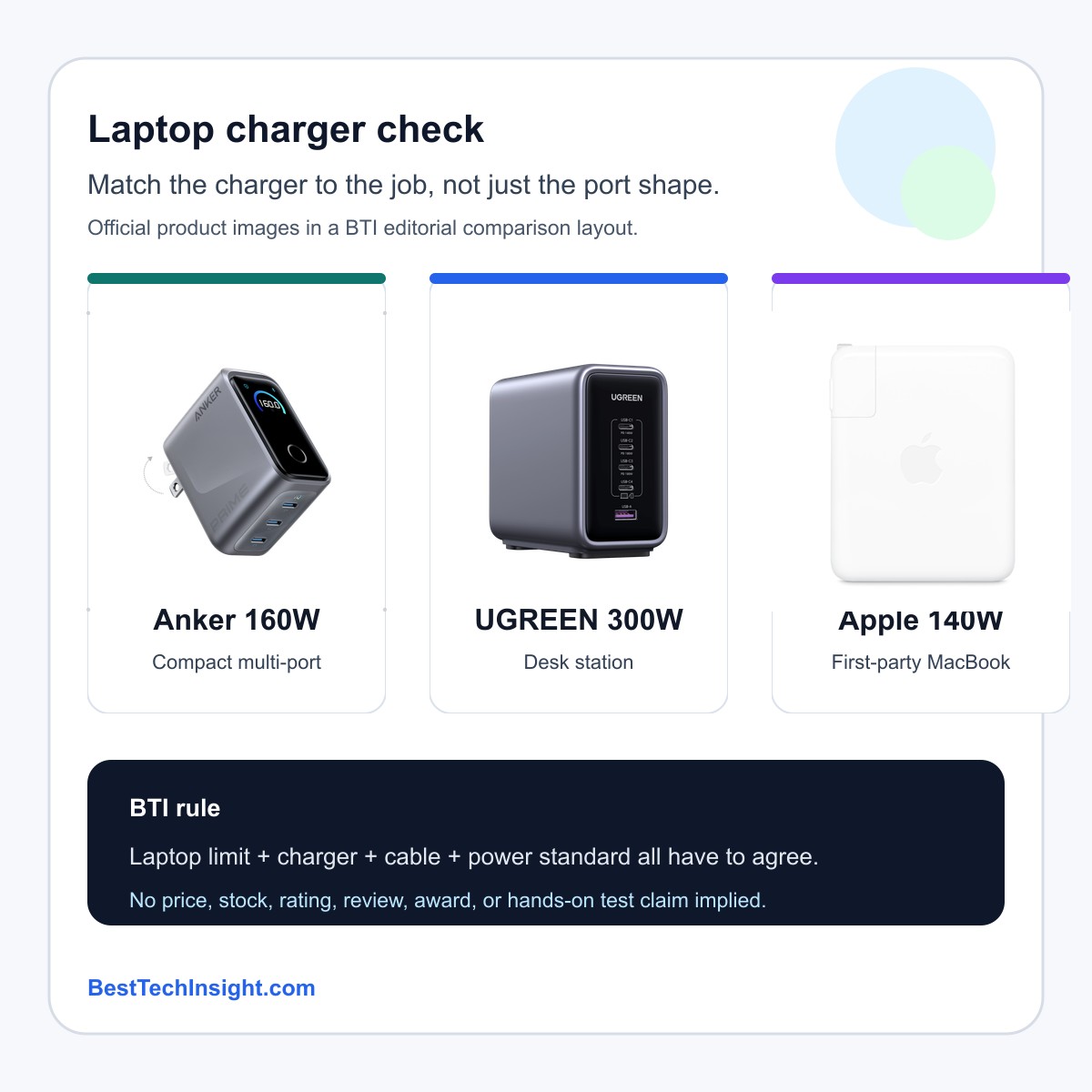
The useful question is not simply which charger has the biggest number. The useful question is what job the charger has to do. A compact multi-port charger, a desk charging station, and a first-party MacBook adapter solve different problems.
| Option | Role | Check first | Next step |
|---|---|---|---|
| Anker Prime Charger 160W | Compact multi-port charger | Check the exact port split, your laptop wattage target, and whether your cable is rated for the power you expect. | View official product |
| UGREEN Nexode 300W | Desk charging station | Check how the total wattage is divided across ports when several devices are connected at once. | View official product |
| Apple 140W USB-C Power Adapter | First-party MacBook path | Check Apple’s current Mac charging guidance, cable requirement, and the wattage your exact Mac reports or recommends. | View official product |
Buy in this order
Start with your real charging job. Then check the laptop guidance, charger per-port behavior, and cable rating. That order keeps the decision practical.
| Option | Use when | Slow down if |
|---|---|---|
| Anker Prime Charger 160W | A travel or bag setup where one charger needs to cover a laptop plus smaller devices. | A compact charger can still be the wrong fit if your laptop, cable, or multi-device split cannot use the higher output. |
| UGREEN Nexode 300W | A desk with a laptop, tablet, phone, earbuds, or accessories that all need power in one place. | A high total wattage number matters less if the port you plan to use does not get the output your laptop needs. |
| Apple 140W USB-C Power Adapter | A MacBook owner who prefers a simple first-party adapter path and checks the exact Mac model guidance. | A higher-watt adapter is not a universal speed promise. The Mac, cable, port, battery state, and thermal conditions still matter. |
USB-C laptop charger comparison table
| Option | Simple role | Good fit | BTI buyer check | Next step |
|---|---|---|---|---|
| Anker Prime Charger 160W | Compact multi-port charger | A travel or bag setup where one charger needs to cover a laptop plus smaller devices. | Check the exact port split, your laptop wattage target, and whether your cable is rated for the power you expect. | View official product |
| UGREEN Nexode 300W | Desk charging station | A desk with a laptop, tablet, phone, earbuds, or accessories that all need power in one place. | Check how the total wattage is divided across ports when several devices are connected at once. | View official product |
| Apple 140W USB-C Power Adapter | First-party MacBook path | A MacBook owner who prefers a simple first-party adapter path and checks the exact Mac model guidance. | Check Apple’s current Mac charging guidance, cable requirement, and the wattage your exact Mac reports or recommends. | View official product |
Read the table from left to right. Start with the job, then check the laptop requirement, then check how the charger behaves with your cable and other devices.
Three charger paths to compare
Compact multi-port charger
Anker Prime Charger 160W
Good fit: A travel or bag setup where one charger needs to cover a laptop plus smaller devices.
Check first: Check the exact port split, your laptop wattage target, and whether your cable is rated for the power you expect.
A compact charger can still be the wrong fit if your laptop, cable, or multi-device split cannot use the higher output.
Desk charging station
UGREEN Nexode 300W
Good fit: A desk with a laptop, tablet, phone, earbuds, or accessories that all need power in one place.
Check first: Check how the total wattage is divided across ports when several devices are connected at once.
A high total wattage number matters less if the port you plan to use does not get the output your laptop needs.
First-party MacBook path
Apple 140W USB-C Power Adapter
Good fit: A MacBook owner who prefers a simple first-party adapter path and checks the exact Mac model guidance.
Check first: Check Apple’s current Mac charging guidance, cable requirement, and the wattage your exact Mac reports or recommends.
A higher-watt adapter is not a universal speed promise. The Mac, cable, port, battery state, and thermal conditions still matter.
Use cases that change the charger decision
| Use case | Start here | Compare with |
|---|---|---|
| Laptop bag | Anker Prime Charger 160W | Apple 140W USB-C Power Adapter |
| Desk setup | UGREEN Nexode 300W | Anker Prime Charger 160W |
| Mac owner | Apple 140W USB-C Power Adapter | Anker Prime Charger 160W |
Use cases are starting points, not rankings. Confirm your exact computer guidance and cable rating before choosing.
BTI methodology
BTI built this guide from public USB-IF, Apple, Anker, and UGREEN source pages. The method is conservative: identify the charger role, avoid price and stock claims, avoid review scores, and turn official product details into buyer checks a beginner can use.
This page does not rank these chargers as universal winners. It compares charging paths. A buyer should still confirm the exact laptop model, cable rating, plug type, port split, product revision, warranty terms, and current seller page before choosing.
When a bigger USB-C charger is not worth it
The first common mistake is treating USB-C as a promise. It is a connector shape, and the device behind that connector still has limits. The second mistake is treating a total wattage number as a per-port number. On a multi-port charger, the output can change when several devices are attached.
The third mistake is forgetting the cable. A laptop, charger, and cable all participate in the power path. If one part is not rated for the target, the charging result can be lower than expected. That is not always a failure; it can be the system negotiating a safer supported level.
The final mistake is ignoring the real setup. A person who only charges one MacBook at a desk may not need the same product as someone powering a laptop, phone, tablet, earbuds, and travel accessories. The right charger is the one whose limits match your actual day.
Sources used for this buyer map
BTI used official source pages for the USB-C power standard and the named charger examples. Use these links for current product details before making a purchase decision.
BTI final verdict
Buy the charging chain, not the biggest number. Check the laptop’s supported charging level, the charger’s per-port behavior, the cable rating, and the USB Power Delivery support together. If all four line up, the charger is much easier to judge.
Exact-product affiliate links are not configured yet; when reviewed links are supplied, BTI can add tracked price-check CTAs without changing the buyer guidance.
FAQ
Does a higher-watt USB-C charger always charge a laptop faster?
No. The laptop, charger, cable, and power standard have to negotiate a supported charging level. A higher label can be useful, but it is not a universal speed promise.
Is a multi-port charger always better than a single-port charger?
No. Multi-port chargers are useful when they match your device mix. A single first-party adapter can be simpler when one laptop is the only job.
What should I check before buying a laptop charger?
Check the laptop charging guidance, the charger per-port output, the cable rating, safety certifications, warranty terms, and how many devices will be connected at the same time.