
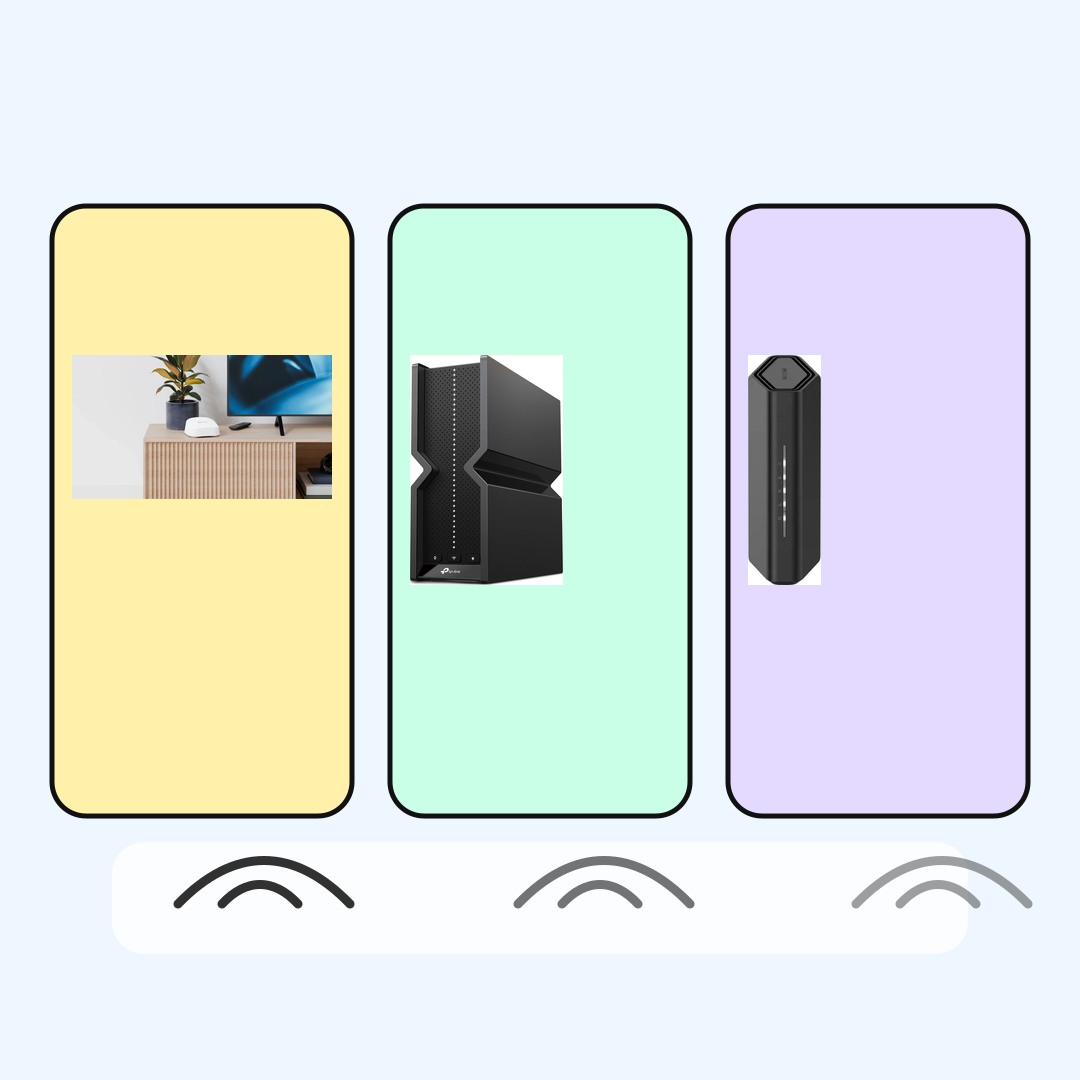
Wireless setup map
Wi-Fi 7 Laptop Setup Check: Router, Laptop, or Room?
A Wi-Fi 7 laptop is only one side of the upgrade. The router, room, device crowding, and internet plan decide how much of the change you actually feel.
A Wi-Fi 7 laptop setup works best when the laptop, router, room, and internet plan all fit the same goal. Start by checking both ends of the wireless link, then choose whether the useful upgrade is the laptop, the router, or the home setup around them.
BTI did not lab-test these routers, measure wireless speed, verify coverage, or inspect current inventory. This guide uses official product and standards pages to explain buyer checks before you pay for a Wi-Fi 7 upgrade.
- Wi-Fi 7 helps most when both the laptop and router side support it.
- Router shape matters: mesh, single-router, and performance-router setups solve different problems.
- Room layout, walls, device crowding, and the internet plan can still be the limiting factor.
Wi-Fi 7 laptop setup quick answer
Check the router before buying for Wi-Fi 7 on the laptop. A Wi-Fi 7 laptop paired with an older router may still behave like the older network. A Wi-Fi 7 router paired with an older laptop may not deliver the upgrade you had in mind.
| Router example | Simple role | Good fit | BTI buyer check | Next step |
|---|---|---|---|---|
| eero 7 | Simple mesh upgrade | A home where the main goal is a simpler Wi-Fi 7 mesh path instead of tuning a traditional router. | Check whether the laptop, router nodes, room distance, and internet plan all support the upgrade you expect. | View official product |
| TP-Link Archer BE550 | Single-router home setup | A setup where one central router can cover the important laptop desk, streaming area, and everyday devices. | Check the router location, wired backhaul options, device count, and whether your laptop can actually join Wi-Fi 7. | View official product |
| NETGEAR Nighthawk RS700S | Performance router setup | A central router setup where the network upgrade is part of a higher-end desk, gaming, media, or multi-device home. | Check the modem, wired ports, laptop radio, room path, and whether the internet plan is the actual bottleneck. | View official product |
How to check a Wi-Fi 7 laptop upgrade
First, confirm the exact laptop model supports Wi-Fi 7. Laptop families can use different wireless radios across configurations, so the product name alone is not always enough.
Second, check the router side. The laptop and router need to speak the same modern wireless language before Wi-Fi 7 features become relevant to the connection.
Third, treat the room as part of the setup. Router placement, distance, walls, interference, and device crowding can matter as much as the logo on the laptop spec sheet.
Wi-Fi 7 router examples for laptop buyers
eero 7
Good fit: A home where the main goal is a simpler Wi-Fi 7 mesh path instead of tuning a traditional router.
Check first: Check whether the laptop, router nodes, room distance, and internet plan all support the upgrade you expect.
A mesh system can make coverage easier, but it does not make every laptop or every room behave the same way.
TP-Link Archer BE550
Good fit: A setup where one central router can cover the important laptop desk, streaming area, and everyday devices.
Check first: Check the router location, wired backhaul options, device count, and whether your laptop can actually join Wi-Fi 7.
A single router can be the wrong fix if the main problem is distance, thick walls, or poor placement.
NETGEAR Nighthawk RS700S
Good fit: A central router setup where the network upgrade is part of a higher-end desk, gaming, media, or multi-device home.
Check first: Check the modem, wired ports, laptop radio, room path, and whether the internet plan is the actual bottleneck.
A higher-end router is still limited by the laptop, room, modem, service plan, and device crowding around it.
Setup checklist before checkout
| Area | What to check | Why it matters |
|---|---|---|
| Laptop | Look for Wi-Fi 7 support on the exact model | A Wi-Fi 7 router cannot upgrade an older laptop radio. |
| Router | Match the router to the home layout | Mesh, single-router, and higher-end router setups solve different coverage problems. |
| Room | Think about walls, distance, and placement | Wireless speed and responsiveness still depend on the path between laptop and router. |
| Internet plan | Compare Wi-Fi upgrade against service speed | A faster local network does not automatically make a slow internet plan faster. |
When Wi-Fi 7 may not be the fix
Wi-Fi 7 may not solve a slow internet plan, a poorly placed router, an older laptop radio, or a room where the wireless path is already difficult.
It can also be the wrong first upgrade if the main work happens through a docked desk with Ethernet, or if the device that feels slow is not the Wi-Fi 7 laptop.
That does not make Wi-Fi 7 unimportant. It means the upgrade should match the real bottleneck instead of only matching the newest spec name.
Sources used for this buyer map
BTI used official product pages plus Intel and Wi-Fi Alliance explainers. Use those pages for current specifications, compatibility language, documentation, and model details before choosing.
BTI final take
Judge a Wi-Fi 7 laptop by the full wireless path. Check both ends of the connection, then decide whether the useful upgrade should be the router, the laptop, the room layout, or the internet plan.
Exact-product affiliate links are not configured yet; when reviewed links are supplied, BTI can add tracked price-check CTAs without changing the buyer guidance.
FAQ
Does a Wi-Fi 7 laptop need a Wi-Fi 7 router?
To use Wi-Fi 7 connection features, both the laptop side and router side need compatible support. An older router can still connect, but it may not give the Wi-Fi 7 upgrade you expected.
Should I upgrade the laptop or the router first?
Start with the bottleneck. If the laptop already supports Wi-Fi 7 but the router is older, check router options. If the router is modern but the laptop radio is older, check the laptop model first.
Why can a Wi-Fi 7 setup still feel slow?
The room, walls, router placement, crowded network, device limits, and internet plan can still limit the experience even when one part of the setup supports Wi-Fi 7.