
Laptop desk-fit check
USB-C Hub Ports Check: Apple Adapter vs Anker 555 vs Satechi 8K
The right adapter is the one that matches your monitor, charger, daily accessories, and the exact USB-C port on your laptop.
USB-C hub ports matter because one adapter may handle video, charging, data, Ethernet, and card readers differently. Start with the monitor, charger, storage, camera, microphone, keyboard, mouse, Ethernet, and card-reader needs on your desk, then match the hub to that exact setup.
BTI did not lab-test these adapters, verify current inventory, review retail pricing, or measure display output. This guide uses official Apple, Anker, Satechi, and Intel source pages to turn the port list into a buyer checklist.
- Pick the adapter around the desk setup, not just the number of ports.
- Video output depends on the laptop, cable, display, adapter, and software settings.
- Charging, Ethernet, USB-A, USB-C data, and card slots should be checked before checkout.
USB-C hub ports quick answer
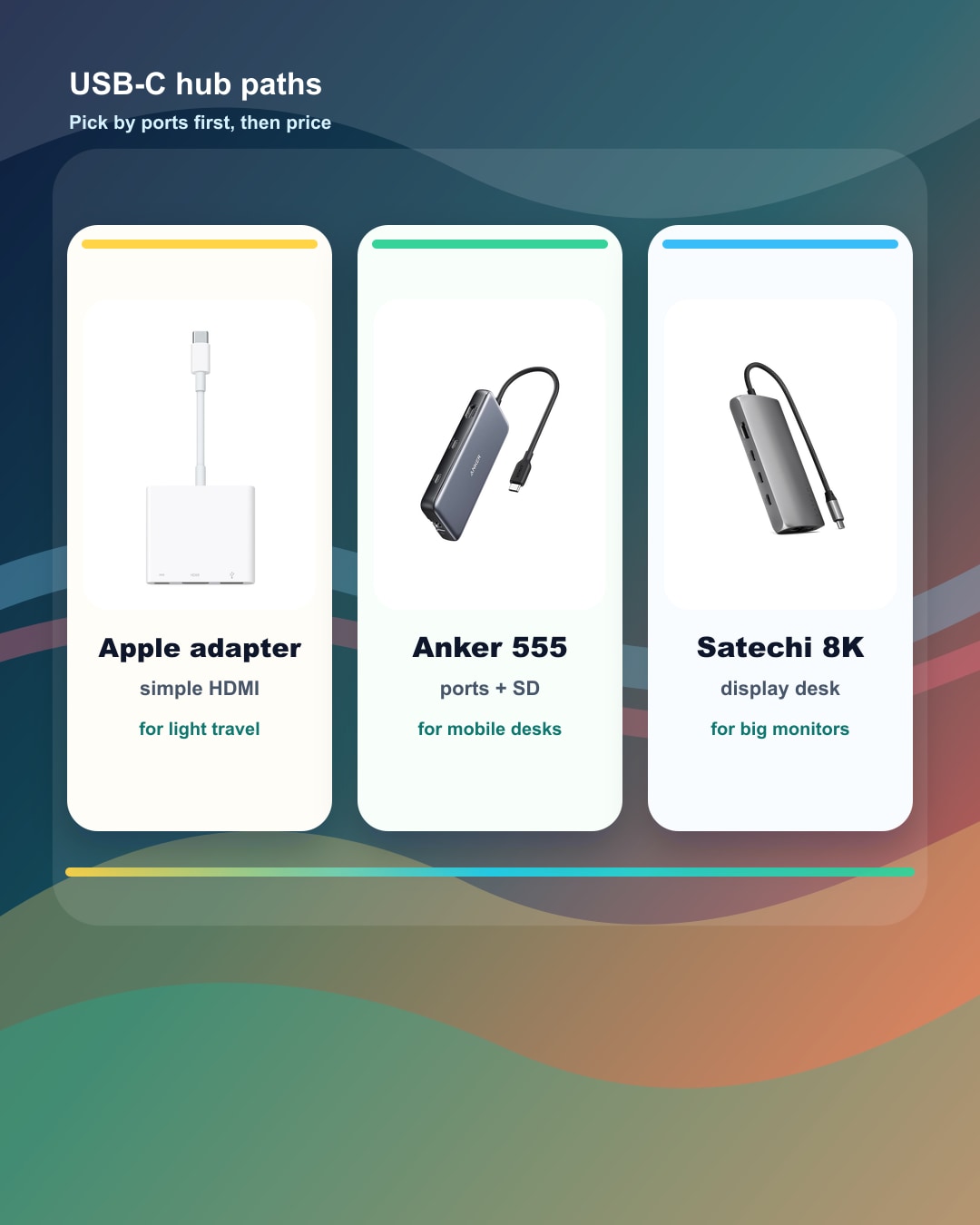
For a simple display path, the Apple USB-C Digital AV Multiport Adapter keeps the choice narrow. For more desk coverage, Anker 555 adds a fuller hub path. For a display-heavy setup, Satechi’s 8K Multiport Adapter is a useful comparison point. The right answer depends on the laptop and desk, not the brand name alone.
| Adapter | Simple role | Official port story | BTI buyer check | Next step |
|---|---|---|---|---|
| Apple USB-C Digital AV Multiport Adapter | Simple HDMI path | HDMI display, USB-A device, and USB-C charging path | Check your exact device, display resolution needs, HDMI cable, charging plan, and whether you need more than one accessory port. | View official product |
| Anker 555 USB-C Hub (8-in-1) | Fuller travel hub | HDMI, USB-C data, USB-A data, Ethernet, SD, microSD, and pass-through charging | Check that your laptop USB-C port supports the display mode, data needs, and charging behavior you expect. | View official product |
| Satechi USB-C Multiport Adapter 8K with Ethernet V3 | Display-heavy hub path | 8K HDMI positioning, Ethernet, USB-C, USB-A, SD card, and pass-through charging path | Check the exact display, refresh target, cable, laptop port, and power adapter instead of assuming every USB-C port behaves the same. | View official product |
Start with the plugs you use every week
Many thin laptops look cleaner because the adapter work is pushed outside the computer. That can be fine, but it means the real buying decision includes the hub, dock, cables, and desk layout.
| Need | What to check | Buyer move |
|---|---|---|
| Monitor or TV | HDMI, resolution, refresh target, cable, and whether the laptop USB-C port supports video output. | Start with the exact display before choosing the hub. |
| Charging | Whether the adapter passes power through, how much power your laptop expects, and whether the charger is separate. | Do not spend the only open USB-C port before checking power. |
| Daily accessories | Keyboard, mouse, camera, microphone, storage, SD cards, Ethernet, and audio gear. | Count real plugs instead of buying by port count alone. |
| Desk vs travel | A light adapter can be easier in a bag; a fuller hub can be better at a repeated desk. | Pick the form factor around the place you use it most. |
Adapter paths to compare
Apple USB-C Digital AV Multiport Adapter
Official port story: HDMI display, USB-A device, and USB-C charging path.
Good fit: A Mac, iPad, or iPhone user who mainly needs one HDMI display plus a standard USB device while keeping charging available.
Check first: Check your exact device, display resolution needs, HDMI cable, charging plan, and whether you need more than one accessory port.
This is a focused adapter path, not a full desk hub with Ethernet, card readers, or several USB accessory ports.
Anker 555 USB-C Hub (8-in-1)
Official port story: HDMI, USB-C data, USB-A data, Ethernet, SD, microSD, and pass-through charging.
Good fit: A laptop bag or small desk where one hub needs to cover display, wired network, camera cards, and common USB accessories.
Check first: Check that your laptop USB-C port supports the display mode, data needs, and charging behavior you expect.
A hub cannot add features that the laptop port, monitor, cable, operating system, or power adapter does not support.
Satechi USB-C Multiport Adapter 8K with Ethernet V3
Official port story: 8K HDMI positioning, Ethernet, USB-C, USB-A, SD card, and pass-through charging path.
Good fit: A desk where the display path, wired network, card slot, and laptop charging chain all need to be checked before buying.
Check first: Check the exact display, refresh target, cable, laptop port, and power adapter instead of assuming every USB-C port behaves the same.
High display specs depend on the whole chain. The laptop, cable, display, adapter, and software settings all matter.
When a hub is not the fix
A hub cannot make every USB-C port act like Thunderbolt. It also cannot make an unsupported display, cable, charger, or operating-system setting work as if the whole chain were upgraded.
If the laptop already has the exact ports you use every day, a separate adapter may be less important than memory, battery, storage, screen quality, or warranty support.
Sources used for this buyer map
This guide uses official product and support pages. It does not include BTI lab tests, rankings, awards, star ratings, price tracking, stock checks, or availability claims.
BTI final take
Choose the hub by your real desk. If the adapter lets your monitor, charger, wired network, storage, camera, and everyday USB gear work cleanly, it is doing its job.
Exact-product affiliate links are not configured yet; when reviewed links are supplied, BTI can add tracked price-check CTAs without changing the buyer guidance.
FAQ
Does every USB-C hub work with every laptop display?
No. Display support depends on the laptop port, hub, cable, display, resolution target, refresh target, and software settings.
Should I buy the hub with the most ports?
Not automatically. Count the devices you actually use, then check the ports and power path that matter for those devices.
Are these BTI product reviews?
No. These are official-source examples for a buyer checklist, not BTI lab-tested reviews, rankings, or availability checks.