
Current Amazon Buying Guide
Six verified routers for lower-friction Air Link, Steam Link, and Virtual Desktop setups, with clear reasons to choose Wi-Fi 6E or pay more for Wi-Fi 7.
BTI on InstagramMake the next VR upgrade easier to understandFollow @besttechinsight for plain-English guides to wireless VR, routers, latency, and which upgrade addresses which problem.
Start with the PCVR network setup
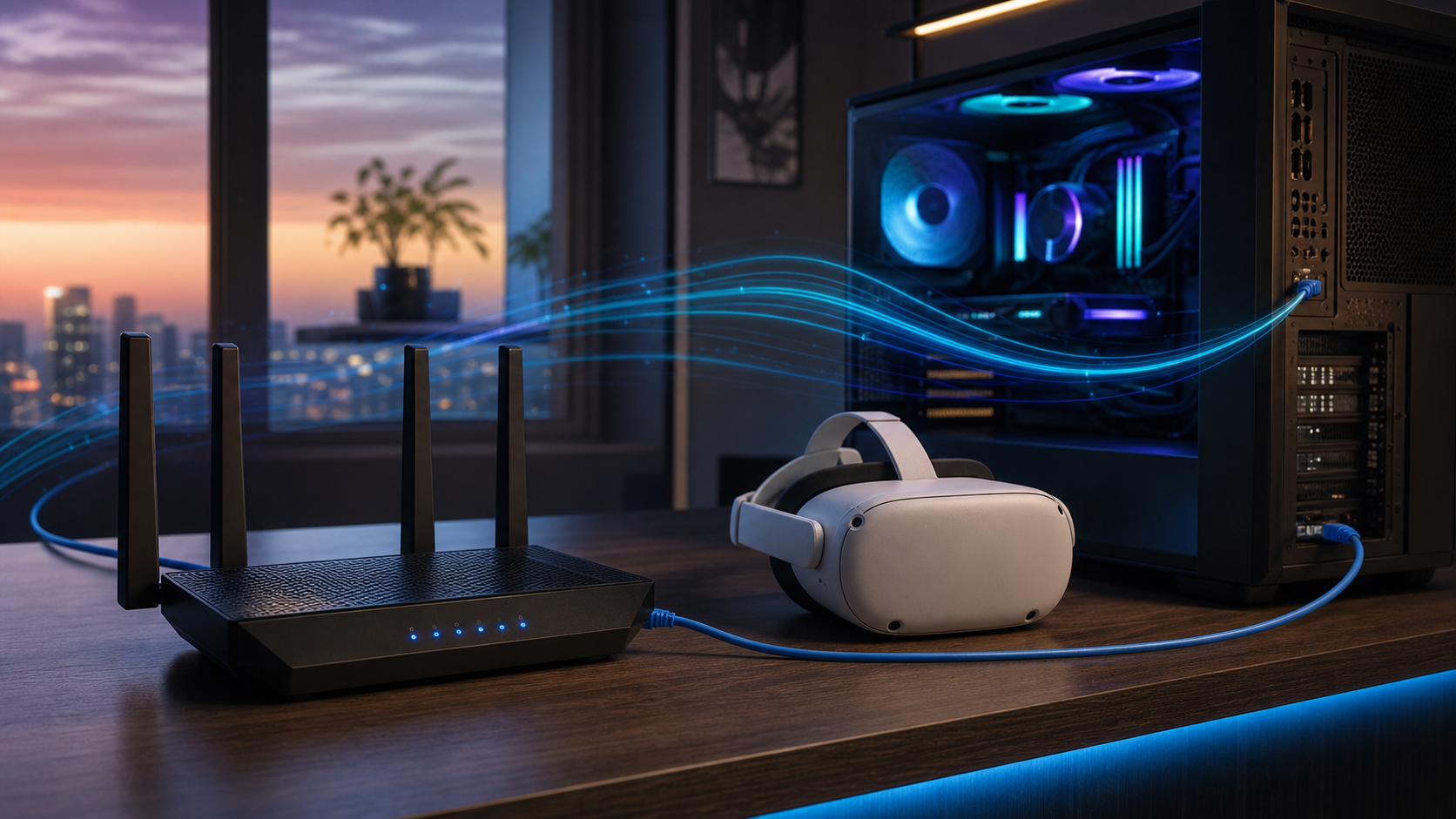
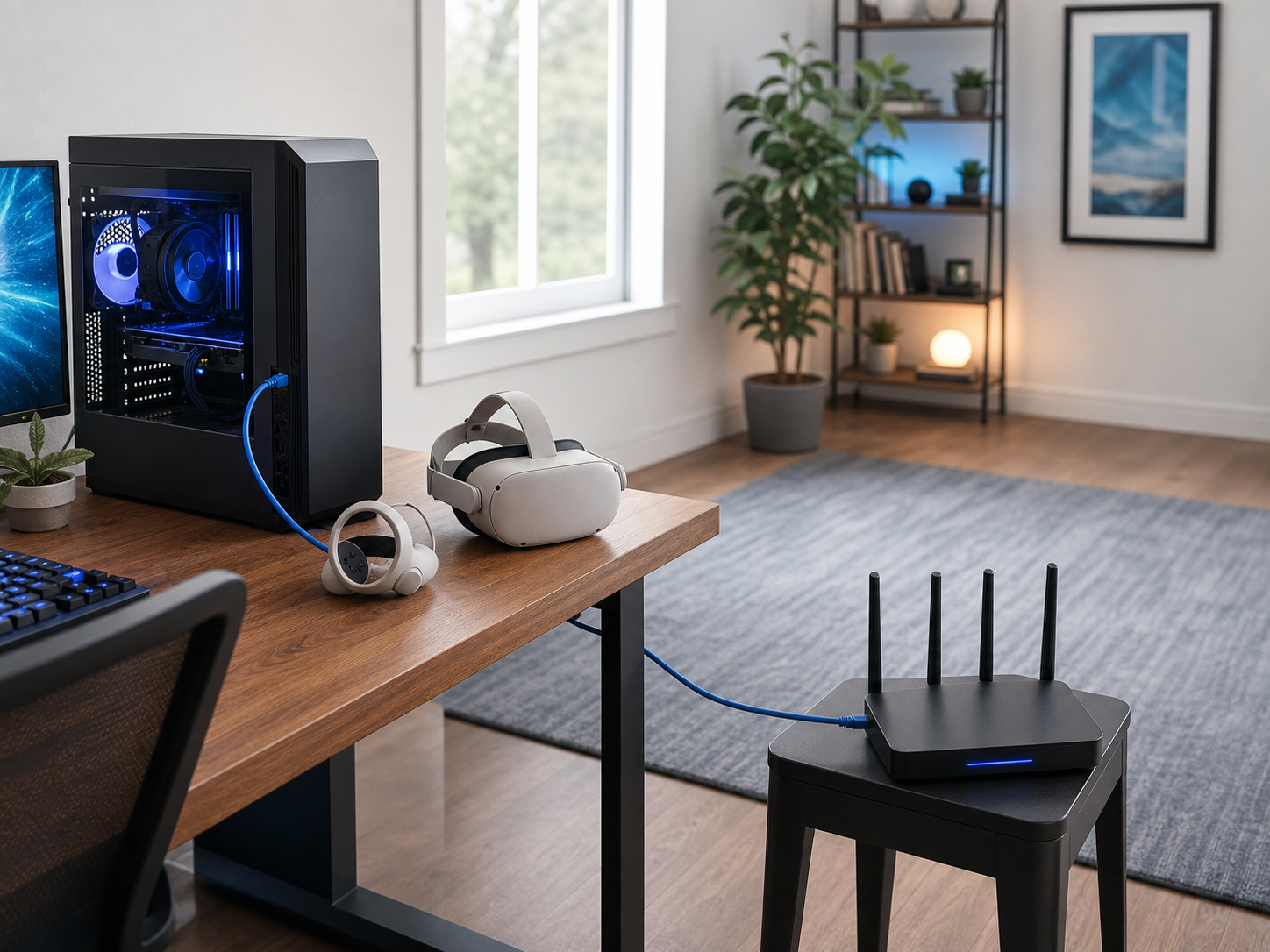
The router is only one part of wireless PCVR. The reliable layout is a gaming PC connected to the router by Ethernet, with the Quest 3 or Quest 3S connecting wirelessly from the same room or a nearby open space. Virtual Desktop explicitly recommends a wired computer, and its troubleshooting guidance requires the PC and headset to be on the same network.
- Use 6GHz when the router and headset are close and the 5GHz band is crowded.
- Use a strong 5GHz channel when walls or distance make 6GHz unstable.
- For a dedicated secondary router, use access-point mode or a correct LAN layout to avoid isolation and double-NAT confusion.
Best router by situation
Choose by network job, not by the biggest speed number on the box.
2Whole-home Wi-Fi 7 valueTP-Link Archer BE550
3Gaming controls and fast wired portsTP-Link Archer GE650
4OpenWrt, VPN, and network controlGL.iNet Flint 3
5Main router for a busy homeNETGEAR Nighthawk RS300
6No-compromise multi-gig networkASUS ROG Rapture GT-BE98 Pro
Quest 3 PCVR router comparison
| Router | Best For | Wireless | Key Ports | Verdict | Buyer Note |
|---|---|---|---|---|---|
| TP-Link Archer AXE75 | Most Quest 3 and Quest 3S owners building a same-room wireless PCVR setup | Wi-Fi 6E, tri-band AXE5400 | 1x 2.5G WAN/LAN, 1x 1G WAN/LAN, 3x 1G LAN | Top Pick | The sensible 6GHz sweet spot when the headset is the main reason for buying a router. |
| TP-Link Archer BE550 | Buyers who want one router for Quest 3, multi-gig PCs, NAS devices, and newer Wi-Fi clients | Wi-Fi 7, tri-band BE9300 | 1x 2.5G WAN, 4x 2.5G LAN | Value Pick | The best step up when five full 2.5G ports matter beyond the VR headset. |
| TP-Link Archer GE650 | PC gamers who want Quest 3 wireless PCVR plus gaming QoS and a dedicated high-speed wired port | Wi-Fi 7, tri-band BE11000 | 1x 5G WAN, 1x 5G LAN, 3x 2.5G LAN | Gaming Pick | A stronger fit when PCVR is one part of a broader high-performance gaming network. |
| GL.iNet Flint 3 | Enthusiasts who want granular SSID, VPN, DNS, ad-blocking, and routing control | Wi-Fi 7, tri-band BE9300 | 5x 2.5G Ethernet, including dual-WAN support | Control Pick | The flexible choice for users who know why they want OpenWrt-style controls. |
| NETGEAR Nighthawk RS300 | Families replacing an ISP router and wanting a cleaner mainstream setup for VR and everyday devices | Wi-Fi 7, tri-band BE9300 | 1x 2.5G WAN, 2x 2.5G LAN, 2x 1G LAN | Easy Upgrade | The straightforward household pick when the router must serve far more than VR. |
| ASUS ROG Rapture GT-BE98 Pro | Large, demanding networks that need dual 6GHz bands, 10G wired links, and advanced gaming controls | Wi-Fi 7, quad-band BE30000 | 2x 10G and 4x 2.5G Ethernet | Premium Pick | The premium infrastructure pick, not the default recommendation for PCVR. |

1. TP-Link Archer AXE75
Exact model: Archer AXE75 / AXE5400
Best for: Most Quest 3 and Quest 3S owners building a same-room wireless PCVR setup
Most Quest 3 and Quest 3S owners building a same-room wireless PCVR setup.
Buyers who need several multi-gig LAN ports or a large Wi-Fi 7 household upgrade.
Quest 3 and Quest 3S are Wi-Fi 6E clients, so a well-placed AXE75 already matches the headsets’ wireless generation. Its 6GHz band can be reserved for the headset, while the 2.5G WAN/LAN port gives the wired PC or upstream link room beyond gigabit when the rest of the network supports it.
Why it made the list: Selected over cheaper Wi-Fi 6 routers because 6GHz gives a cleaner same-room option in crowded homes, and over pricier Wi-Fi 7 routers because Quest 3 cannot use Wi-Fi 7-only features such as MLO.
Compatibility warning: Use the 6GHz band in the same room or with minimal obstruction. For a dedicated secondary router, configure access-point mode or a correct LAN-to-LAN layout so the PC and headset stay on the same local network.
- 6GHz band matches Quest 3 Wi-Fi 6E
- Strong value for a dedicated VR network
- Flexible 2.5G WAN/LAN port
- Only one 2.5G port
- 6GHz range drops quickly through walls

2. TP-Link Archer BE550
Exact model: Archer BE550 / BE9300
Best for: Buyers who want one router for Quest 3, multi-gig PCs, NAS devices, and newer Wi-Fi clients
Buyers who want one router for Quest 3, multi-gig PCs, NAS devices, and newer Wi-Fi clients.
Anyone buying Wi-Fi 7 only to improve the Quest 3 link beyond Wi-Fi 6E.
The BE550 adds a much better wired foundation than the AXE75: one 2.5G WAN port and four 2.5G LAN ports. That makes it easier to wire the gaming PC, a switch, and storage without immediately creating a gigabit bottleneck.
Why it made the list: Selected over similarly priced gaming-branded routers because its port layout is unusually practical and because the cost is going toward multi-gig connectivity rather than cosmetic gaming features.
Compatibility warning: Quest 3 connects as a Wi-Fi 6E client. It can use the 6GHz band, but not Wi-Fi 7 MLO or 320MHz client features. Keep a dedicated 6GHz SSID available if automatic band steering moves the headset unpredictably.
- Five 2.5G Ethernet ports
- 6GHz plus Wi-Fi 7 for newer clients
- Good main-router upgrade path
- Wi-Fi 7 does not change Quest 3’s client standard
- Internal antennas offer less placement flexibility

3. TP-Link Archer GE650
Exact model: Archer GE650 / BE11000
Best for: PC gamers who want Quest 3 wireless PCVR plus gaming QoS and a dedicated high-speed wired port
PC gamers who want Quest 3 wireless PCVR plus gaming QoS and a dedicated high-speed wired port.
Buyers who only need a quiet, inexpensive 6GHz access point beside one PC.
The GE650 combines a 5G WAN port, a 5G LAN port, three 2.5G LAN ports, and gaming-oriented traffic controls. That hardware is useful when the same router must serve a fast desktop, console, storage, and the Quest headset.
Why it made the list: Selected over the larger flagship gaming routers because it keeps the useful 5G and 2.5G port mix while staying below the most expensive quad-band tier.
Compatibility warning: QoS cannot repair a PC that is connected to the router over Wi-Fi. Wire the PC. Also remember that optional TP-Link HomeShield features can require a subscription; they are not required for basic PCVR routing.
- One 5G WAN and one 5G LAN port
- Three additional 2.5G LAN ports
- Gaming QoS and device controls
- Costs more than Quest 3 alone requires
- Gaming features add setup complexity

4. GL.iNet Flint 3
Exact model: GL-BE9300 (Flint 3)
Best for: Enthusiasts who want granular SSID, VPN, DNS, ad-blocking, and routing control
Enthusiasts who want granular SSID, VPN, DNS, ad-blocking, and routing control.
Buyers who want the simplest possible app-led setup with minimal networking decisions.
Flint 3 provides five 2.5G Ethernet ports and a feature-rich interface with VPN and network-management options. It is especially useful when a dedicated PCVR SSID must coexist with advanced home-network rules.
Why it made the list: Selected over travel-oriented VR routers because it is a full desktop router with 6GHz, multi-gig Ethernet, and room to grow into a more capable home network.
Compatibility warning: Quest 3 does not use Wi-Fi 7 MLO, even though Flint 3 supports it. Keep the headset and PC on the same LAN, avoid guest-client isolation, and expect more configuration choices than on TP-Link or NETGEAR.
- Five 2.5G Ethernet ports
- Strong VPN and network-control toolkit
- Separate 2.4GHz, 5GHz, and 6GHz configuration
- More complex than mainstream router apps
- Advanced features are unnecessary for many VR setups

5. NETGEAR Nighthawk RS300
Exact model: RS300 / BE9300
Best for: Families replacing an ISP router and wanting a cleaner mainstream setup for VR and everyday devices
Families replacing an ISP router and wanting a cleaner mainstream setup for VR and everyday devices.
Power users who need five multi-gig LAN ports or want to avoid optional subscription upsells.
The RS300 is a conventional main-router upgrade with tri-band Wi-Fi 7, a 6GHz band, two 2.5G LAN ports, and app-led setup. NETGEAR rates it for up to 2,500 square feet and 100 concurrent devices, though real coverage always depends on the home.
Why it made the list: Selected over mesh kits because a single well-placed router is usually easier to control for latency-sensitive same-room PCVR, while still covering a typical home.
Compatibility warning: NETGEAR Armor is optional and subscription-based after its included trial; it is not required for wireless PCVR. A mesh satellite with wireless backhaul can add latency, so wire any remote access point used for VR when possible.
- Mainstream app-led setup
- Two 2.5G LAN ports plus 2.5G WAN
- Designed for a busy multi-device home
- Optional Armor subscription is promoted
- Fewer multi-gig LAN ports than BE550 or Flint 3

6. ASUS ROG Rapture GT-BE98 Pro
Exact model: GT-BE98 Pro / BE30000
Best for: Large, demanding networks that need dual 6GHz bands, 10G wired links, and advanced gaming controls
Large, demanding networks that need dual 6GHz bands, 10G wired links, and advanced gaming controls.
Almost anyone upgrading only for a single Quest 3 headset.
The GT-BE98 Pro is the list’s high-end network platform: quad-band Wi-Fi 7, two 6GHz bands, dual 10G ports, four 2.5G ports, AiMesh, and extensive controls. It can separate VR traffic from a busy wireless backhaul or large device load.
Why it made the list: Selected over other flagship routers because the second 6GHz band and dual 10G ports create a clear use case for very large, high-throughput networks instead of merely adding a premium badge.
Compatibility warning: Quest 3 remains a Wi-Fi 6E client and cannot use Wi-Fi 7 MLO or 320MHz features. Buy this for the rest of the network, dual-band design, and ports, not because it will make the headset itself Wi-Fi 7.
- Dual 6GHz bands
- Dual 10G plus four 2.5G ports
- Deep gaming and AiMesh controls
- Far more expensive than Quest 3 needs
- Large footprint and complex feature set
TP-Link vs GL.iNet vs NETGEAR vs ASUS
The best brand depends on whether this is a focused PCVR purchase or a broader network rebuild.
TP-Link
Best when you want the clearest progression from affordable Wi-Fi 6E to practical multi-gig Wi-Fi 7.
GL.iNet
Best for network enthusiasts who want OpenWrt-style controls, VPN options, and five 2.5G ports.
NETGEAR
Best when a mainstream main-router replacement must support VR and a busy family network.
ASUS ROG
Best when dual 6GHz bands, 10G links, AiMesh, and deep controls justify flagship hardware.
How to choose a router for Quest 3 PCVR
1. Fix the topology before buying speed
The ideal path is PC to Ethernet to router to Wi-Fi to headset. If both the PC and headset are wireless, the same router may have to receive and retransmit every frame over shared airtime. A better router cannot fully compensate for that avoidable second wireless hop.
2. Decide between a dedicated access point and a main-router replacement
A dedicated router beside the play space is usually the cleaner fix when the ISP router is distant or locked down. A main-router replacement makes more sense when the whole home also needs better coverage, faster wired ports, or newer client support.
3. Treat 6GHz as a short-range performance band
Wi-Fi 6E and Wi-Fi 7 add 6GHz spectrum. It is often cleaner than 5GHz, but it loses strength faster through walls. For room-scale VR, place the router in the play room or with a clear path to the headset. Do not hide it behind a TV, metal PC case, or cabinet.
4. Buy the ports you will actually wire
A single 2.5G port is enough for many dedicated setups. A full home router may need several 2.5G ports for the PC, NAS, switch, and upstream connection. This is where the BE550, Flint 3, GE650, and GT-BE98 Pro justify their higher prices more clearly than their Wi-Fi 7 labels do.
5. Keep PC performance in the diagnosis
Encoding, GPU headroom, game settings, and the streaming app can produce stutter that looks like a router problem. Check wired Link performance and lower the streaming bitrate before assuming every frame-time spike is Wi-Fi.
Common Quest 3 router mistakes
- Buying Wi-Fi 7 only for the headset: Quest 3 and Quest 3S are Wi-Fi 6E clients. Buy Wi-Fi 7 for ports, newer devices, or longevity.
- Leaving the PC on Wi-Fi: Wire the PC to remove a competing wireless hop.
- Using a wireless mesh satellite for the play room: Wireless backhaul adds another radio link. Use wired backhaul or a directly wired access point when possible.
- Putting the headset on a guest network: Client isolation can prevent Air Link, Steam Link, or Virtual Desktop from seeing the PC.
- Assuming 6GHz has better range: It usually has less wall penetration than 5GHz. Clean spectrum does not help if the signal is weak.
- Changing every advanced setting at once: Start with a dedicated SSID, wired PC, clear channel, and close placement. Change one variable at a time.
- Confusing internet speed with local streaming speed: A faster service plan rarely fixes local PC-to-headset latency.
Final verdict
For most Quest 3 and Quest 3S owners, the TP-Link Archer AXE75 is the best overall buy. It gives the headset a same-generation 6GHz Wi-Fi 6E connection without charging for Wi-Fi 7 features the headset cannot use.
Choose the Archer BE550 when the rest of the home also needs Wi-Fi 7 and several 2.5G ports. Step up to the ASUS GT-BE98 Pro only when dual 6GHz bands, 10G links, and a large advanced network make the premium hardware useful beyond PCVR.
Quest 3 PCVR router FAQ
Does Quest 3 need a Wi-Fi 6E router for wireless PCVR?
No. Virtual Desktop officially requires at least a wired PC connected to a 5GHz AC or AX router. Wi-Fi 6E is useful when a same-room 6GHz channel is cleaner than a crowded 5GHz band, but placement and a wired PC matter more than the label alone.
Is Wi-Fi 7 better than Wi-Fi 6E for Quest 3?
Not directly. Meta lists Quest 3 and Quest 3S as Wi-Fi 6E certified, so they do not use Wi-Fi 7-only client features such as Multi-Link Operation. A Wi-Fi 7 router can still be worthwhile for better Ethernet ports, newer household devices, or network longevity.
Should I use a dedicated router for Quest 3 Air Link?
A dedicated router or access point is helpful when the main router is far from the play space, crowded with devices, or controlled by an ISP. It should be wired to the gaming PC or upstream network and configured so the PC and headset remain on the same LAN.
Does the gaming PC need to be wired to the router?
Yes for the recommended setup. Virtual Desktop explicitly calls for a wired computer, and wiring removes one wireless hop that otherwise competes with the headset for airtime and adds variability.
Is 6GHz always better than 5GHz for Quest 3?
No. The 6GHz band can be cleaner, but it has weaker range and wall penetration. Use it in the same room or with very few obstructions. A strong, uncongested 5GHz connection can be better than a weak 6GHz signal.
Will a faster internet plan improve Air Link or Virtual Desktop?
Usually not. Local PCVR streaming travels between the PC, router, and headset inside the home. Internet speed matters for downloads and online play, while local Wi-Fi quality, Ethernet wiring, interference, and PC performance determine the streaming link.
Can Quest 3 use a guest Wi-Fi network for PCVR?
Usually it should not. Guest networks often isolate clients, preventing the headset from seeing the PC. Virtual Desktop specifically warns that the computer and headset need to be on the same network.
How BTI chose these routers
Best Tech Insight did not claim hands-on testing for this guide. We selected products by matching official Quest and Virtual Desktop requirements to current router specifications, exact Amazon listings, port layouts, 6GHz support, setup complexity, compatibility risks, and the needs of different PCVR buyers.
Every exact model and ASIN was checked on Amazon before publication. Star ratings are point-in-time Amazon listing data and can change. We did not use price claims because Amazon pricing changes frequently. Products were excluded when the listing was unavailable, the model was ambiguous, or the hardware did not create a clear reason to buy it over another pick.
Sources and compatibility context
- Meta Quest device comparison for Quest 3 and Quest 3S Wi-Fi 6E certification and PCVR support.
- Virtual Desktop requirements and FAQ for wired-PC, same-network, guest-network, and public-Wi-Fi guidance.
- Steam Link for VR support for headset and host-network requirements.
- Official specifications from TP-Link Archer AXE75, Archer BE550, Archer GE650, GL.iNet Flint 3, NETGEAR RS300, and ASUS GT-BE98 Pro.
Related BTI buying guides
Continue with the part of the setup that matters next.
Best Security Cameras Without SubscriptionBuild local-recording home security without another monthly plan.Compare cameras
Thunderbolt 5 Dock ComparisonPlan a cleaner high-bandwidth PC desk and wired accessory setup.Compare docks
Tech Gift GuidesFind current tech picks for gamers, homes, and hard-to-shop-for buyers.Browse guides
Affiliate disclosure: Best Tech Insight may earn a commission when you buy through Amazon links on this page. Product choices and editorial opinions remain our own. Availability, ratings, and specifications can change after publication.