
Current Amazon Buying Guide
Best Security Cameras Without Subscription 2026: Local Storage Picks
Local-storage security camera picks for homes, rentals, driveways, and budget buyers who want fewer monthly fees.
BTI on InstagramNew tech, decoded in plain EnglishFollow @besttechinsight for quick breakdowns of products, chips, robots, EVs, and science. Full reviews and guides stay here on BTI.
Start With The Recording Setup
The best security cameras without subscription all solve the same buyer problem: avoiding a camera that only feels useful after a monthly plan. Cloud recording, person detection, longer video history, and package alerts can all move behind a paid plan depending on the brand.
This guide is built for U.S. buyers who want a practical no-monthly-fee setup first. That does not mean every advanced feature is free forever. It means each pick has a useful local-storage path, such as a home base, microSD card, recorder, or built-in storage, so the camera can still do its core job without forcing a subscription.
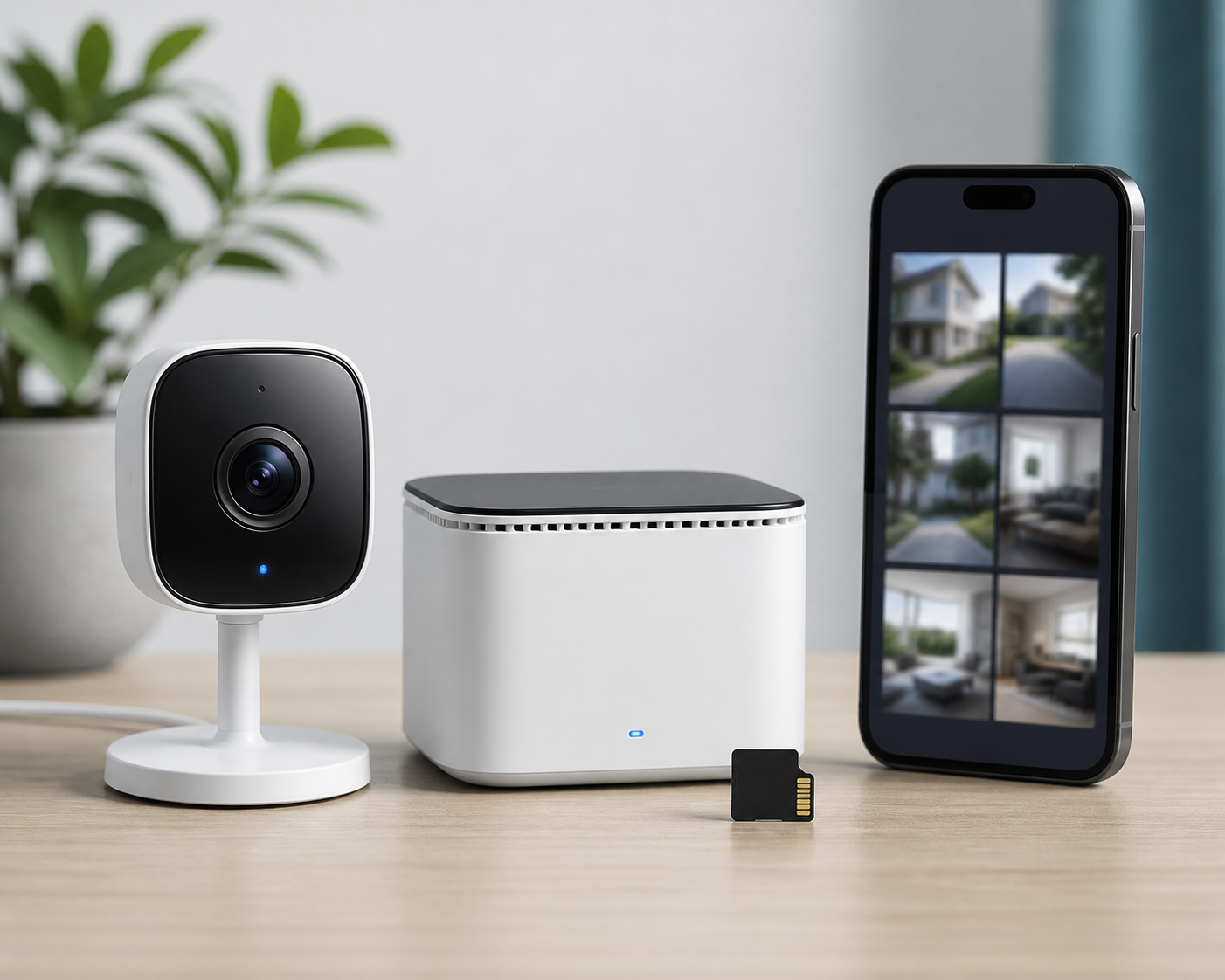
- Choose a home-base or recorder system when you want multiple cameras and better local control.
- Choose a microSD camera when you want one affordable view and simple local playback.
- Choose a floodlight camera when lighting and video coverage should be one project.
Best by situation
Use these shortcuts if you already know where the camera is going.
02Budget indoor or covered outdoor viewTP-Link Tapo C120
03Battery placement for doors, sheds, and rentalsTP-Link Tapo C402
04Wide outdoor coverageReolink Altas PT Ultra
05High-detail local recordingLorex 4K Dual-Lens Wi-Fi Camera
06Driveways and dark approachesEufy Floodlight Cam E340
| Camera | Best For | Local Recording Path | Verdict | Buyer Note |
|---|---|---|---|---|
| EufyCam S3 Pro with HomeBase 3 | Homeowners who want a polished multi-camera kit with local storage before cloud add-ons | HomeBase 3 storage | Top Pick | Best if you already know you want a real no-fee system, not just one trial camera. |
| TP-Link Tapo C120 | Budget indoor, garage, pet, nursery, or covered outdoor monitoring | microSD card | Value Pick | Strong first camera if you want to test local recording without building a full system. |
| TP-Link Tapo C402 | Side gates, sheds, rentals, and spots where wiring would stop the project | microSD card or Tapo hub path | Easy Setup | Good when placement flexibility matters more than continuous wired recording. |
| Reolink Altas PT Ultra | Driveways, yards, and larger outdoor zones where one fixed camera may miss too much | microSD card or Reolink local storage path | Coverage Pick | Best as a second or third camera after the main entry points are covered. |
| Lorex 4K Dual-Lens Wi-Fi Camera | Buyers who care about detail, panoramic coverage, and local-control hardware | Lorex recorder or local storage ecosystem | Detail Pick | Best for buyers who want security-system hardware more than a tiny lifestyle camera. |
| Eufy Floodlight Cam E340 | Driveways, side yards, garages, and dark approaches that need light plus recording | microSD card or HomeBase 3 | Outdoor Pick | Best when replacing or adding a light fixture is already part of the project. |

1. EufyCam S3 Pro with HomeBase 3
Best for: Homeowners who want a polished multi-camera kit with local storage before cloud add-ons.
Eufy is the clearest whole-home path here because the HomeBase model keeps the local-storage setup at the center of the system. The S3 Pro kit is the premium pick for outdoor coverage, solar assistance, and a cleaner app workflow.
The tradeoff is upfront cost. If you only need one indoor view or a pet camera, start cheaper and come back to a home-base kit later.
- Strongest whole-home no-fee path
- HomeBase storage keeps setup centralized
- Good fit for multiple outdoor cameras
- Higher upfront cost
- Overkill for one indoor room
2. TP-Link Tapo C120
Best for: Budget indoor, garage, pet, nursery, or covered outdoor monitoring.
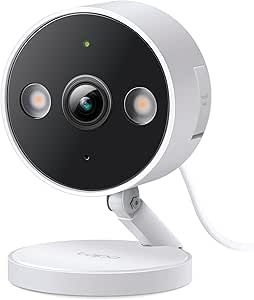
The Tapo C120 is the simple starting point. It is compact, affordable, and built around a microSD path, which makes it useful for one room, a garage shelf, a pet area, or a covered entry where wiring is already available.
A small wired camera is not a replacement for a serious whole-home setup. Buy it when one reliable view matters more than wide outdoor coverage.
- Low-friction first camera
- microSD local storage path
- Works for pets, garages, and covered spots
- Not a full outdoor system
- Wired placement limits flexibility
3. TP-Link Tapo C402
Best for: Side gates, sheds, rentals, and spots where wiring would stop the project.
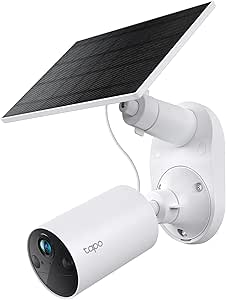
Battery placement is the reason to buy the C402. It is a practical no-subscription pick when the best angle is away from an outlet and the camera only needs to capture motion events instead of nonstop footage.
Skip it if you want all-day recording from a fixed outdoor point. Battery cameras are convenience-first, not the strongest continuous-history option.
- Easy battery placement
- Useful when wiring is the blocker
- Good side-gate or shed camera
- Not ideal for 24/7 recording
- Battery maintenance still matters

4. Reolink Altas PT Ultra
Best for: Driveways, yards, and larger outdoor zones where one fixed camera may miss too much.
Reolink fits buyers who want more local control and a wider outdoor view. The Altas PT Ultra is useful when the scene is too broad for a basic fixed camera and pan-and-tilt coverage is worth the extra setup attention.
A moving camera still needs a strong mounting location and a stable network connection. It is less ideal if your only goal is a dead-simple front-door view.
- Covers broader outdoor scenes
- Pan-and-tilt flexibility
- Good local-control brand fit
- Needs careful mounting
- More setup than a basic fixed camera

5. Lorex 4K Dual-Lens Wi-Fi Camera
Best for: Buyers who care about detail, panoramic coverage, and local-control hardware.
Lorex is the more security-system-oriented pick on this list. The dual-lens design makes sense when one camera needs to cover a wider area with more detail than a small single-lens model.
This is not the softest landing for every beginner. Check recorder requirements and app fit carefully before choosing it as a first camera.
- Security-system style detail
- Good panoramic coverage fit
- Strong local-control angle
- Less beginner-friendly
- Check recorder and ecosystem requirements
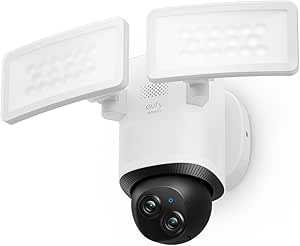
6. Eufy Floodlight Cam E340
Best for: Driveways, side yards, garages, and dark approaches that need light plus recording.
A floodlight camera is often the highest-impact outdoor upgrade because it solves lighting and recording together. The E340 keeps the Eufy local-storage logic while adding pan-and-tilt coverage and a driveway-friendly light setup.
Installation is the catch. If you cannot replace or add an outdoor fixture, choose a battery or plug-in camera instead.
- Combines light and camera coverage
- Good driveway upgrade
- Fits Eufy local-storage setup
- Fixture installation required
- Not renter-friendly for every home
Eufy vs Tapo vs Reolink vs Lorex
Brand fit matters as much as the individual model because local recording, app flow, storage hardware, and setup complexity vary by ecosystem.
Eufy
Best when you want a polished app experience, a HomeBase path, and a no-fee setup that feels cohesive across multiple cameras.
TP-Link Tapo
Best when value and simple microSD storage matter most, especially for a first indoor, garage, rental, or covered outdoor camera.
Reolink
Best when you want broader outdoor coverage, more camera-control options, and a local-storage brand that leans more enthusiast-friendly.
Lorex
Best when detail, panoramic coverage, and security-system style hardware matter more than the easiest possible beginner setup.
Best no-subscription camera by use case
| Use Case | Best Pick | Alternative |
|---|---|---|
| Whole-home wireless kit | EufyCam S3 Pro with HomeBase 3 | Reolink Altas PT Ultra |
| Budget indoor, pet, or garage view | TP-Link Tapo C120 | None |
| Driveway or dark side yard | Eufy Floodlight Cam E340 | TP-Link Tapo C402 |
| Rental-friendly placement | TP-Link Tapo C402 | TP-Link Tapo C120 |
| High-detail local recording | Lorex 4K Dual-Lens Wi-Fi Camera | Reolink Altas PT Ultra |
Security cameras without subscription: what to skip
- Cloud-first cameras with tiny local workarounds: If the no-subscription path feels like a technical footnote, the cheaper camera can become the more annoying long-term buy.
- Battery cameras for nonstop recording: Battery models are convenient, but wired, recorder, or home-base systems usually make more sense for constant history.
- Old models kept alive by discounts: A discount is not enough if app support, storage options, wireless reliability, or replacement batteries are unclear.
Final verdict
The right first buy depends on whether you want a whole-home wireless kit, a single budget indoor view, a rental-friendly battery camera, a floodlight upgrade, or a more serious local-storage setup.
For most homeowners, the EufyCam S3 Pro with HomeBase 3 is the strongest no-fee system path. For a lower-cost first step, the TP-Link Tapo C120 is easier to justify. For driveways and side yards, the Eufy Floodlight Cam E340 gives the best mix of light and recording. Reolink and Lorex are better fits when coverage, detail, and local control matter more than the simplest possible setup.
Which security cameras without subscription should you buy first?
| Camera | Buy Priority | Why It Comes Here | Skip If |
|---|---|---|---|
| EufyCam S3 Pro with HomeBase 3 | Buy First | It is the most complete no-fee starter path for multiple cameras. | You only need one low-cost indoor camera. |
| TP-Link Tapo C120 | Buy First | It is the cleanest value pick for testing the category without a plan. | You need long-range battery placement. |
| Eufy Floodlight Cam E340 | Buy Early | Lighting plus recording is often the highest-impact driveway upgrade. | You cannot install or replace an outdoor fixture. |
| TP-Link Tapo C402 | Buy Early | Battery placement solves doors, sheds, side gates, and rental-friendly locations. | You want 24/7 recording from a fixed wired camera. |
| Reolink Altas PT Ultra | Add for Coverage | Pan-and-tilt outdoor coverage makes sense after the core entry points are handled. | A fixed camera already covers the whole area. |
| Lorex 4K Dual-Lens Wi-Fi Camera | Add for Detail | It fits buyers who want high-detail local storage over the smallest possible camera. | You want the simplest app and smallest hardware first. |
Security cameras without subscription FAQ
Can security cameras record without a subscription?
Yes. The key is choosing a camera with a real local-storage path, such as a microSD card, HomeBase, recorder, NVR, or built-in storage. Some advanced smart alerts or cloud history may still require a paid plan.
Is local storage better than cloud storage for security cameras?
Local storage is better if your priority is avoiding monthly fees and keeping core recordings at home. Cloud storage can be better for off-site backup if a camera is stolen or damaged, but it usually creates an ongoing cost.
What is the best no-subscription security camera for renters?
Renters should usually start with an easy-placement camera such as the TP-Link Tapo C402, or a compact plug-in camera like the Tapo C120 if there is a protected outlet and a stable mounting spot.
Do battery security cameras record 24/7 without a subscription?
Most battery cameras are better for motion events than nonstop recording. If 24/7 recording matters, look more closely at wired cameras, a home-base setup, or a recorder/NVR system.
What should I check before buying a no-subscription security camera?
Check storage limits, whether a hub or recorder is required, weather rating, power requirements, app support, warranty terms, and which smart alerts remain free without a cloud plan.
How BTI chooses recommendations
BTI recommendations focus on the buyer problem, fit by use case, product-specific tradeoffs, and current retailer context when it is available. We avoid claiming hands-on testing, prices, star scores, awards, or availability unless the article has checked evidence for those claims.
For this page, local recording was the first filter. Cameras ranked higher when the no-fee path was clear before checkout, not hidden behind an app setting or a confusing accessory requirement. A good pick had to make sense without a cloud plan for basic recording, playback, and everyday checking.
The second filter was buyer fit. A renter, pet owner, driveway watcher, and whole-home security buyer do not need the same camera. That is why this guide separates compact wired cameras, battery placement cameras, floodlight cameras, and more serious local-storage systems instead of forcing one winner for everyone.
The last filter was risk. Before buying, check the current U.S. listing for storage card limits, hub requirements, weather rating, return window, warranty language, and which smart alerts require a plan. Amazon star scores can change quickly, so treat them as a current listing check rather than a permanent score.
Broader market context
For broader market context, compare current no-fee camera coverage from WIRED, subscription-free security camera analysis from Consumer Reports, and official local-storage details from brands such as Eufy, TP-Link Tapo, Reolink, and Lorex.
Related BTI buying guides
These related pages help round out the setup once you know which camera category fits.
Tech Gift GuidesFind practical smart-home and security gifts by buyer type.Browse gifts
Best Smart Gardening TechUseful if your outdoor camera project overlaps with yards, irrigation, or side-yard coverage.Compare outdoor tech
Affiliate disclosure: Best Tech Insight may earn a commission when you buy through Amazon links on this page. Product choices and editorial opinions remain our own.