
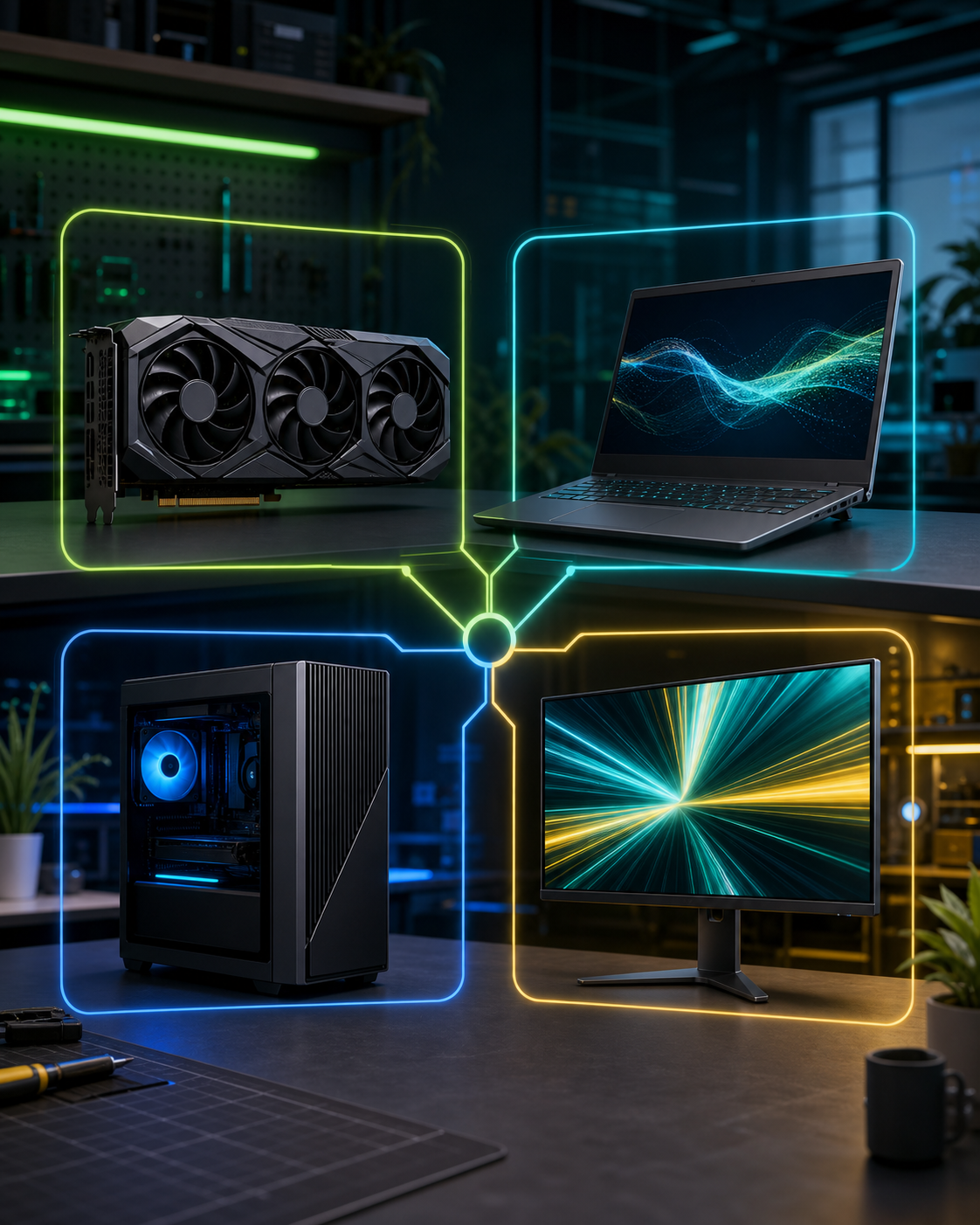
Computex hardware map
NVIDIA Computex 2026 Buyer Map: Cards, Laptops, Desktops, or Displays
NVIDIA’s Computex 2026 partner showcase is easier to understand when you split it into four buyer lanes: card, laptop, desktop, and display.
This NVIDIA Computex 2026 buyer map turns NVIDIA’s June 1, 2026 Computex partner showcase into a beginner-friendly upgrade map. NVIDIA described partner GeForce RTX 50 Series graphics cards, GeForce RTX and Studio laptops, pre-built desktops, and G-SYNC Compatible displays.
BTI is not treating that as one giant shopping list. The safer question is narrower: which part of your setup is actually the bottleneck? A tower owner, a student with one laptop, a first-time PC buyer, and a gamer with an old monitor may need four different answers.
Quick answer: choose the lane before the product. If your tower is strong except graphics, compare cards. If you need mobility, compare laptops. If you want a full system, compare pre-builts. If the screen is holding you back, compare displays.
This page avoids fabricated prices, ratings, stock, reviews, awards, and hands-on testing claims. Exact product CTAs can be added later only when reviewed affiliate URLs are supplied.
NVIDIA Computex 2026 buyer map: four lanes, four jobs
The Computex hardware story can feel crowded because it includes partner cards, portable systems, ready-made desktops, and screens. That variety is useful only if you connect each lane to a real setup problem.
| Lane | Simple role | Best fit | BTI buyer check | Next step |
|---|---|---|---|---|
| Graphics card | Upgrade a tower | People who already have a desktop PC they like and want more game, creator, rendering, or local AI headroom. | Check case space, power supply, power connectors, cooling, monitor resolution, and whether the rest of the PC can keep up. | View official announcement |
| RTX laptop | Portable performance | Students, creators, gamers, and travelers who need one machine that can move between desk, class, studio, and couch. | Compare screen, weight, fan noise, ports, charger size, memory, storage, and the exact laptop GPU configuration. | View official announcement |
| Pre-built desktop | Simpler full system | Buyers who want desktop power without choosing every part, building the PC, or troubleshooting a first setup alone. | Check upgrade room, warranty, service access, cooling layout, included memory/storage, ports, and whether parts are standard. | View official announcement |
| G-SYNC display | Make frames visible | Gamers and creators whose current screen is the bottleneck for smoothness, motion clarity, color, size, or resolution. | Match resolution, refresh rate, panel type, desk space, GPU strength, adaptive sync support, ports, and return policy. | View official announcement |
Which NVIDIA Computex 2026 lane should you compare first?
Use these cards like a setup triage tool. Pick the lane that fixes the daily pain you already feel, then ignore the lanes that do not match your setup.
Upgrade a tower
Graphics card
Best for: People who already have a desktop PC they like and want more game, creator, rendering, or local AI headroom.
Check first: Check case space, power supply, power connectors, cooling, monitor resolution, and whether the rest of the PC can keep up.
A faster card can still be the wrong upgrade if the power supply, case airflow, CPU, or monitor holds the setup back.
Portable performance
RTX laptop
Best for: Students, creators, gamers, and travelers who need one machine that can move between desk, class, studio, and couch.
Check first: Compare screen, weight, fan noise, ports, charger size, memory, storage, and the exact laptop GPU configuration.
Laptop performance depends on the whole chassis, cooling, power limits, and screen choice, not just the GPU name.
Simpler full system
Pre-built desktop
Best for: Buyers who want desktop power without choosing every part, building the PC, or troubleshooting a first setup alone.
Check first: Check upgrade room, warranty, service access, cooling layout, included memory/storage, ports, and whether parts are standard.
A pre-built can save setup time, but it can also hide weak cooling, limited upgrade space, or bundled parts you would not pick.
Make frames visible
G-SYNC display
Best for: Gamers and creators whose current screen is the bottleneck for smoothness, motion clarity, color, size, or resolution.
Check first: Match resolution, refresh rate, panel type, desk space, GPU strength, adaptive sync support, ports, and return policy.
A new display is not a speed upgrade by itself. It makes the setup feel better only when the PC can feed it well.
The biggest mistake is comparing every exciting announcement at once. A graphics card is not a laptop. A laptop is not a monitor. A monitor is not a full system. Each one solves a different problem and creates a different set of compatibility checks.
Start with the part you can describe in one sentence: my games need smoother frames, my laptop is too weak on the go, I do not want to build a PC, or my monitor is wasting the hardware I already own.
What the showcase does not decide for you
A Computex showcase can reveal new options, but it does not prove a specific product fits your desk, budget, power supply, backpack, workflow, or return-risk tolerance. It also does not replace checking the exact retailer listing before purchase.
Performance labels are starting points. The buyer fit still depends on cooling, power limits, screen resolution, ports, drivers, app support, warranty, and whether your current setup has another bottleneck.
Sources and methodology
BTI used NVIDIA’s official Computex 2026 partner product showcase as the source for the four hardware lanes in this guide. BTI converted those lanes into buyer checks and avoided copying partner images, competitor posts, or unsupported commercial claims.
The method is simple: identify the hardware category, translate the category into the buyer problem it can solve, list the compatibility checks, and hold affiliate CTAs until exact reviewed product URLs are available.
BTI final take
The NVIDIA Computex 2026 hardware story is not one upgrade path. It is four lanes. Pick the one that solves your real bottleneck first, then compare exact products inside that lane.
When exact reviewed product URLs exist, this page can add tracked price-check CTAs without changing the editorial guidance.
FAQ
What did NVIDIA show at Computex 2026?
NVIDIA’s partner showcase described new GeForce RTX graphics-card models, GeForce RTX and Studio laptops, pre-built desktop PCs, and G-SYNC Compatible displays.
Should I compare a graphics card or a laptop first?
Compare a graphics card first if you already have a desktop tower that fits the upgrade. Compare a laptop first if portability, screen, keyboard, battery routine, and all-in-one convenience matter more.
Does this article rank the best NVIDIA Computex product?
No. This article is a buyer map, not a ranked review. BTI does not claim hands-on testing, prices, ratings, stock, awards, or universal winners here.